
2019 - 2023
Project Type
TFM
Freelance
Mobile App
Software
Figma
Axure RP
Illustrator
Photoshop
Overview
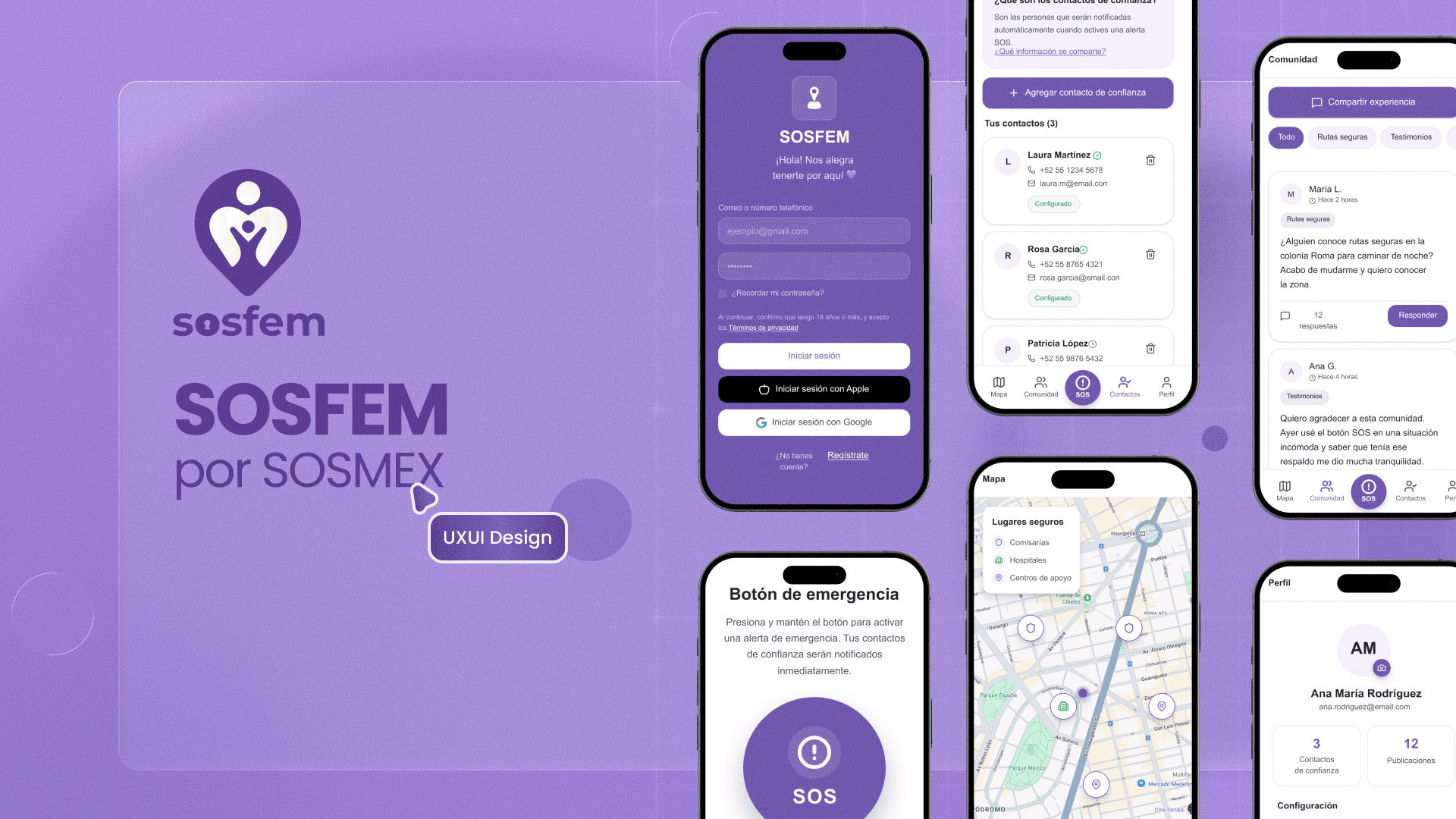
SOSFEM is a mobile panic-button app designed to help women request help quickly and discreetly in dangerous situations. My goal was to design a clear and reliable experience that enables alert activation, real-time location sharing, and immediate support, even under extreme stress.
Since its launch in 2020, the app has reached 60,000+ active users, in a context where insecurity—especially harassment—is part of daily life for many women in Mexico.
In Mexico, over 70% of women aged 15 and older have experienced some form of violence in their lifetime, highlighting a widespread insecurity context in which tools like SOSFEM can provide immediate and tangible support.
In Mexico, going out, commuting, or returning home can feel risky. Designing SOSFEM meant assuming fear isn’t an edge case: users may be shaking, panicking, and unable to read complex UI.
So we framed the problem as: how do we reduce friction to seconds without losing critical context for responders?
The impact of SOSFEM goes beyond adoption metrics. The product operates in real, high-risk situations, where design decisions directly influence response time, clarity, and trust.
Rather than measuring success only through downloads, impact is reflected in how often the tool is activated, who responds to those alerts, and under what circumstances. These signals provide an early indication of whether the system truly supports users when they need it most.
This project was initially developed as part of my Master’s Final Project, with a strong focus on UX/UI for risk scenarios. During the process, I connected with a developer working on a similar technical solution, which led us to collaborate and grow the product together.
My responsibility was fully focused on UX/UI: user research, critical flow definition, information architecture, visual system, UI design, and high-fidelity prototyping. I worked closely with development to ensure technical feasibility and alignment between design and implementation, without owning the development itself.
In-depth interviews with 25+ women in Mexico were conducted across different ages and regions. The focus was on how insecurity shapes daily behavior, which situations feel most dangerous, and what users need when requesting help under pressure.
In parallel, safety apps were analyzed at both local and international levels. While multiple solutions existed, most were designed for child or family tracking or generic location sharing, without a feminist lens or a specific focus on adult women’s experiences.
This process revealed clear gaps between existing solutions and real user needs.
Based on the research, three core user personas were defined to guide design decisions and avoid a one-size-fits-all solution. Here, the context, the routine and the concern were key.
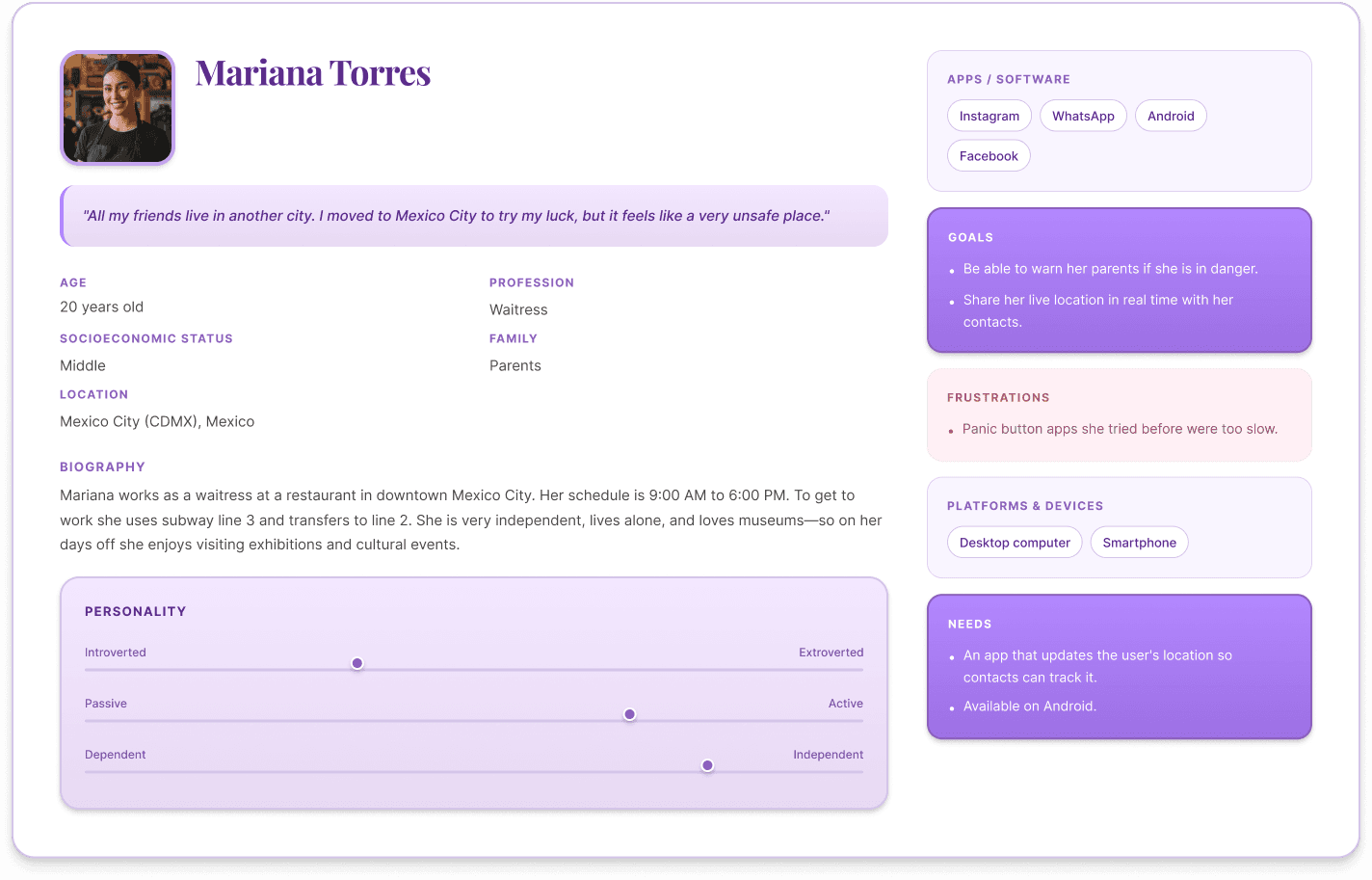
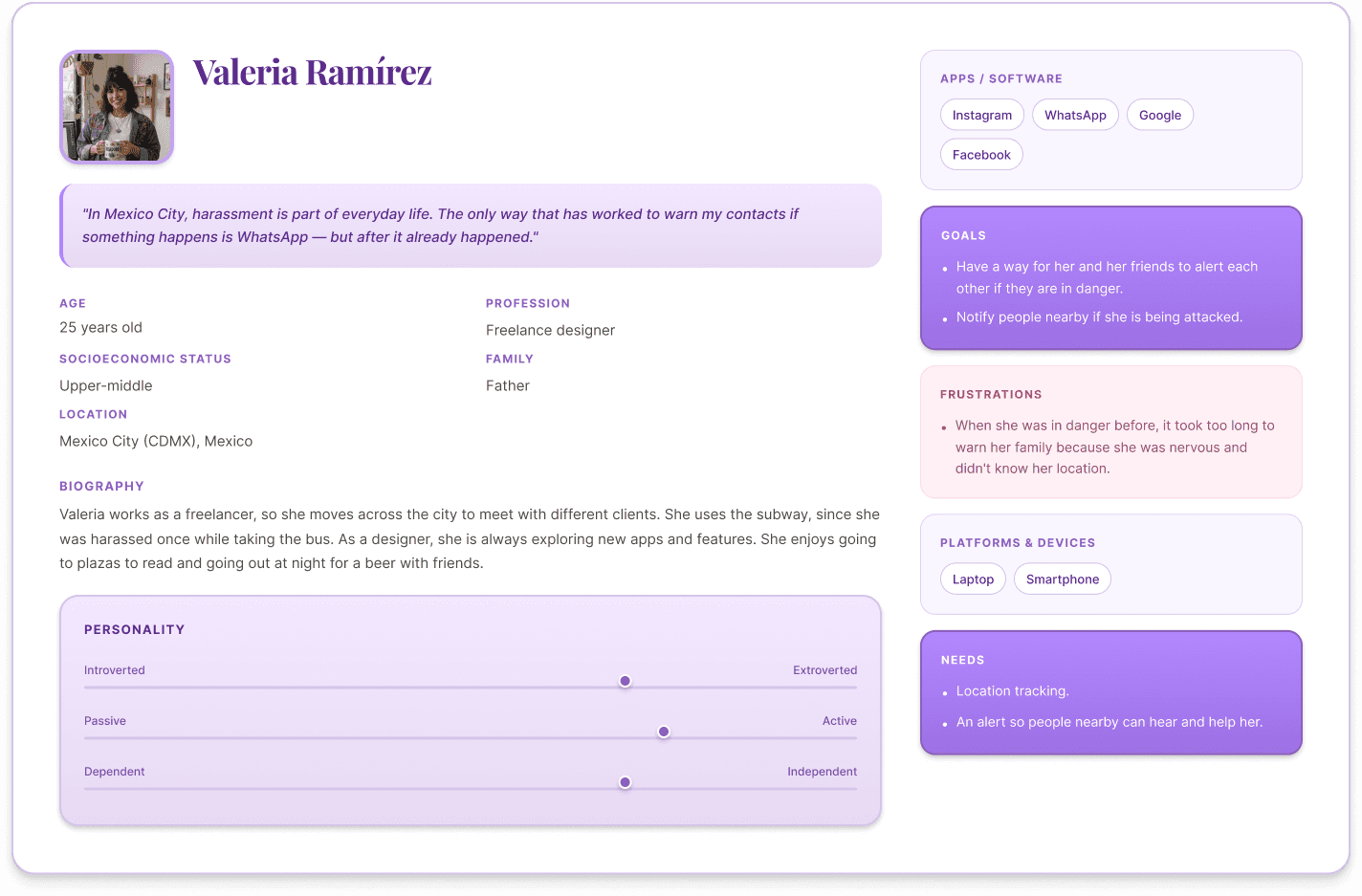
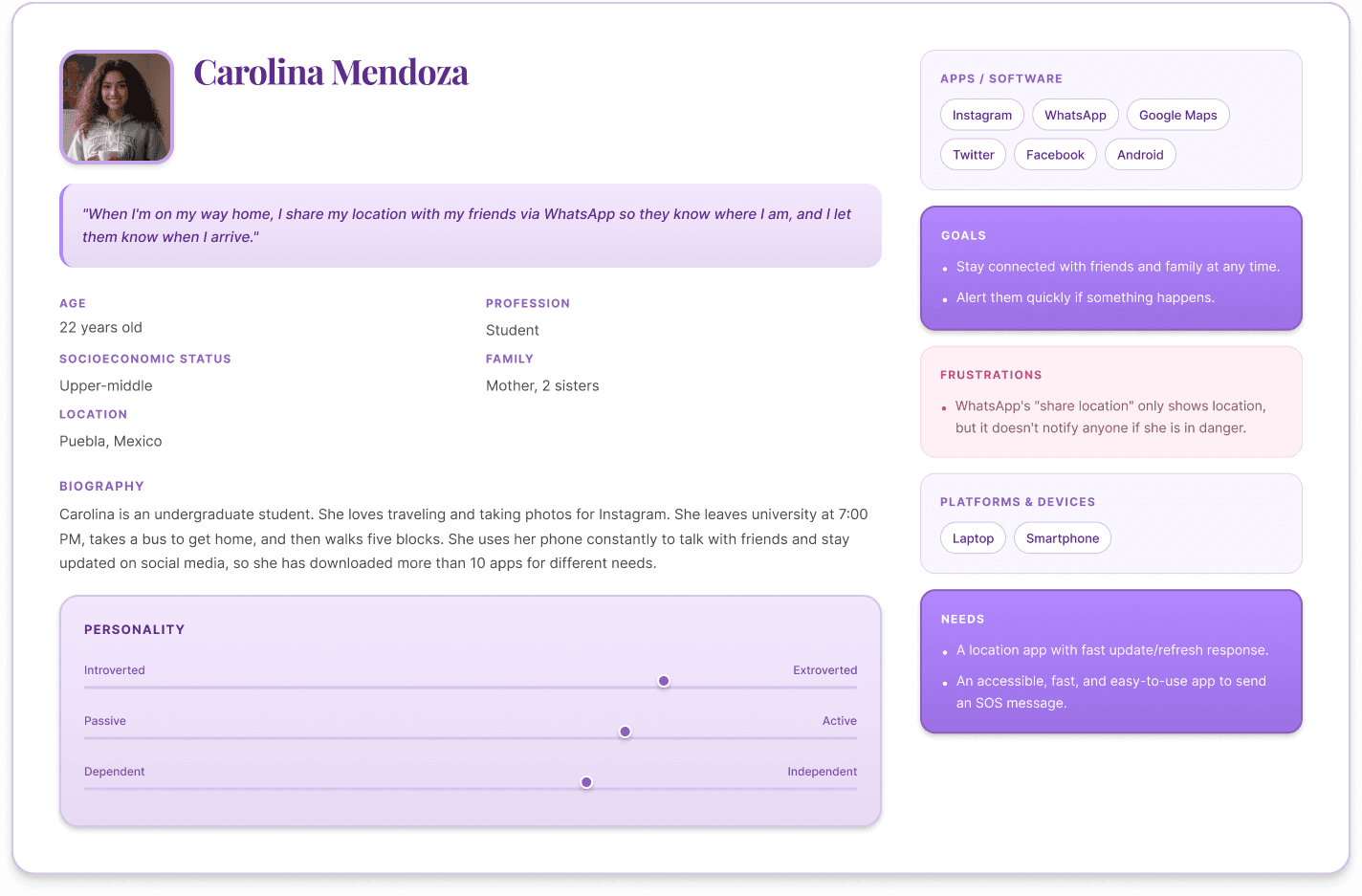
The research surfaced consistent patterns that directly shaped product decisions:
All participants reported a persistent sense of insecurity, even during routine activities
Manual messaging is too slow and unreliable under stress
Location alone is insufficient; users need contextual evidence
Sharing audio and video increases perceived safety
Emergency contacts must receive alerts without installing the app
Clear explanation of what happens after triggering SOS is essential to build trust
These insights informed key features such as automatic location sharing, audio/video capture, trusted contacts, and a trust-building onboarding experience.
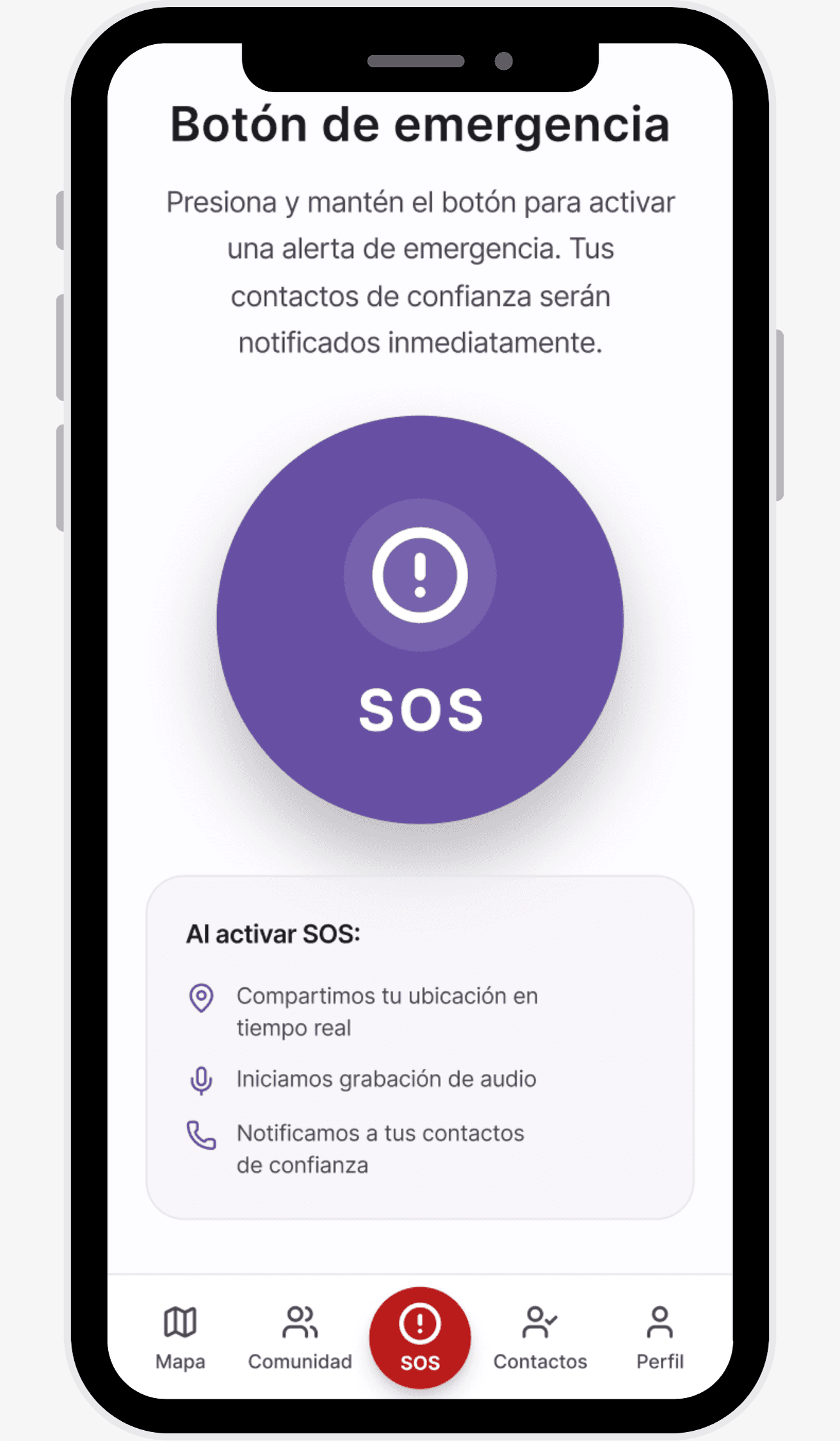
The goal was structured around a core principle: reducing the critical action to a single, clear gesture. Triggering SOS needed to be immediate and understandable under stress, while the system handled everything else in the background (location, evidence, contact delivery).
In emergency contexts, design should reduce thinking and amplify action.
The UI was initially prototyped in Axure RP (2019), reflecting the tools available at that time. As the project matured, the design transitioned to Figma, where components were migrated and refined. The interface maintained a clear hierarchy, high contrast, and reusable components to ensure immediate readability, minimal distractions, and consistency across critical screens.
In the latest iterations, Material Design 3 principles were adopted to update and standardize components, enabling faster iteration, stronger coherence, and easier customization for institutional versions.
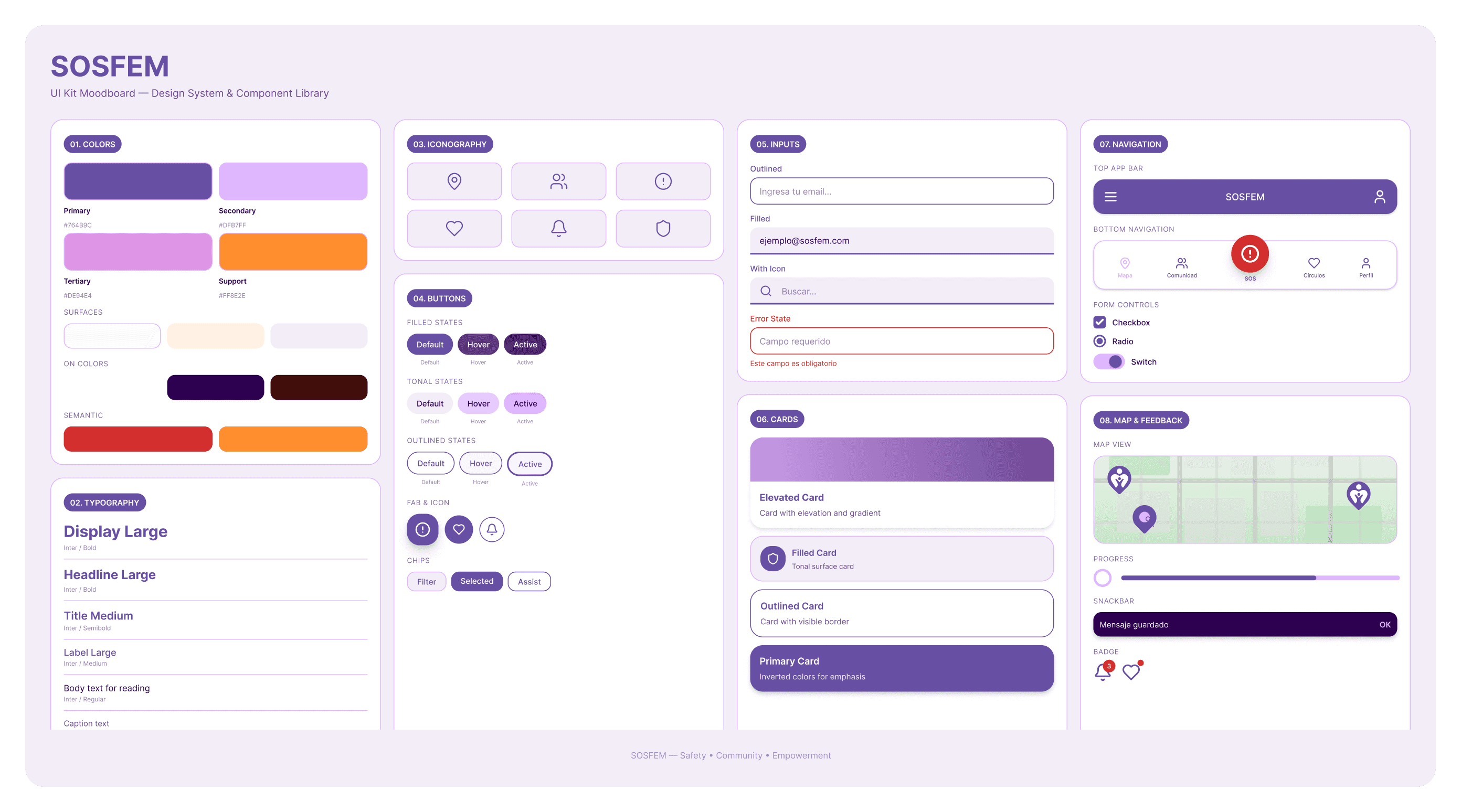
Due to the real-world need it addresses, SOSFEM was adopted by different governments and institutions, leading to product diversification at both visual and functional levels.
The system was designed with a modular foundation, enabling adaptations in branding, flows, and features without compromising the core safety experience or critical SOS flow.
Currently, the solution is also deployed under different names:
– Alerta Violeta (mobile app)
- E100 SOSMEX
Each variant preserves the same core experience—rapid activation and contextual data sharing—while adapting branding, copy, and functionality to institutional requirements.
Beyond the emergency flow, SOSFEM is structured around a small set of core features that support safety before, during, and after a risky situation:
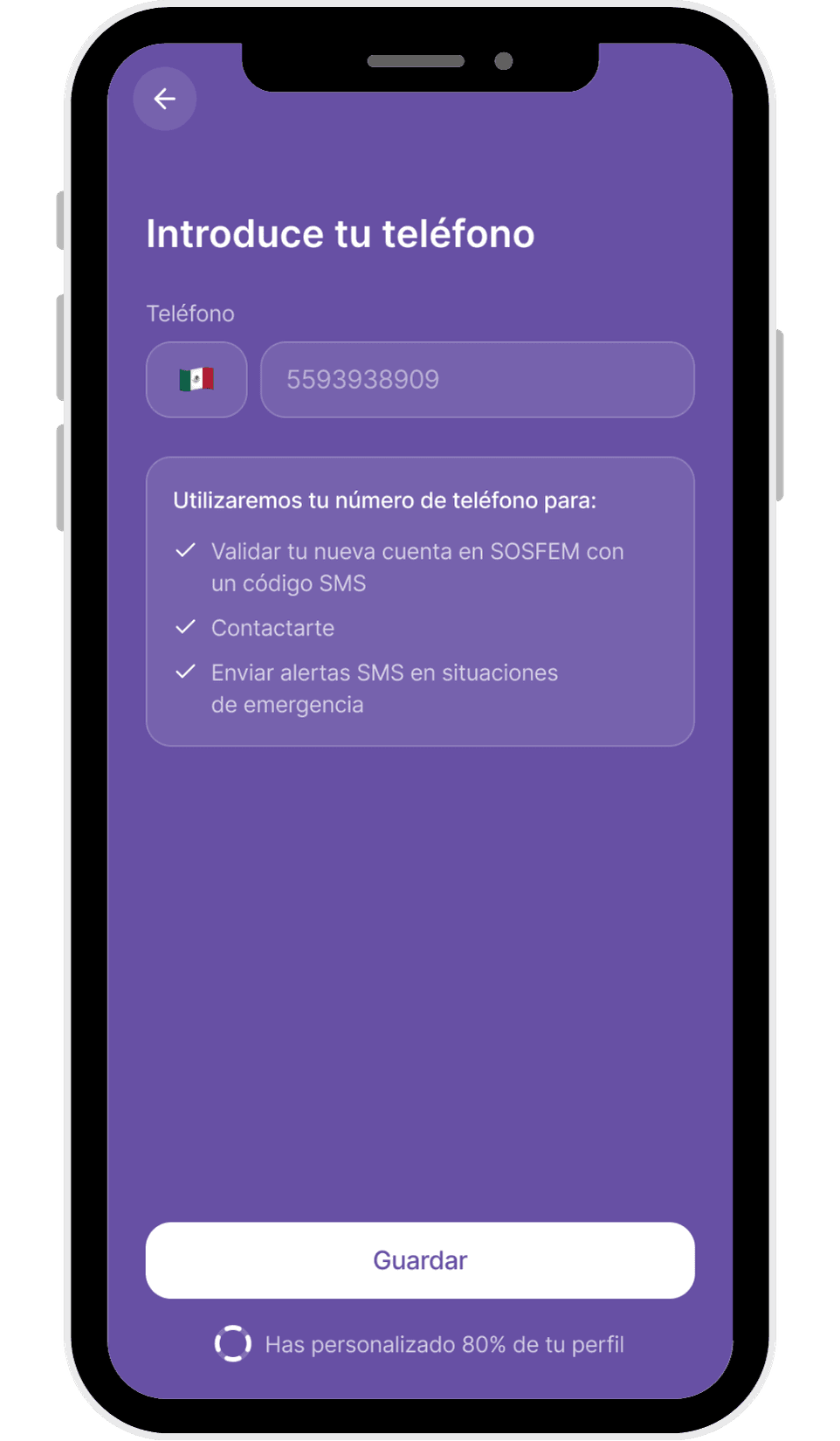
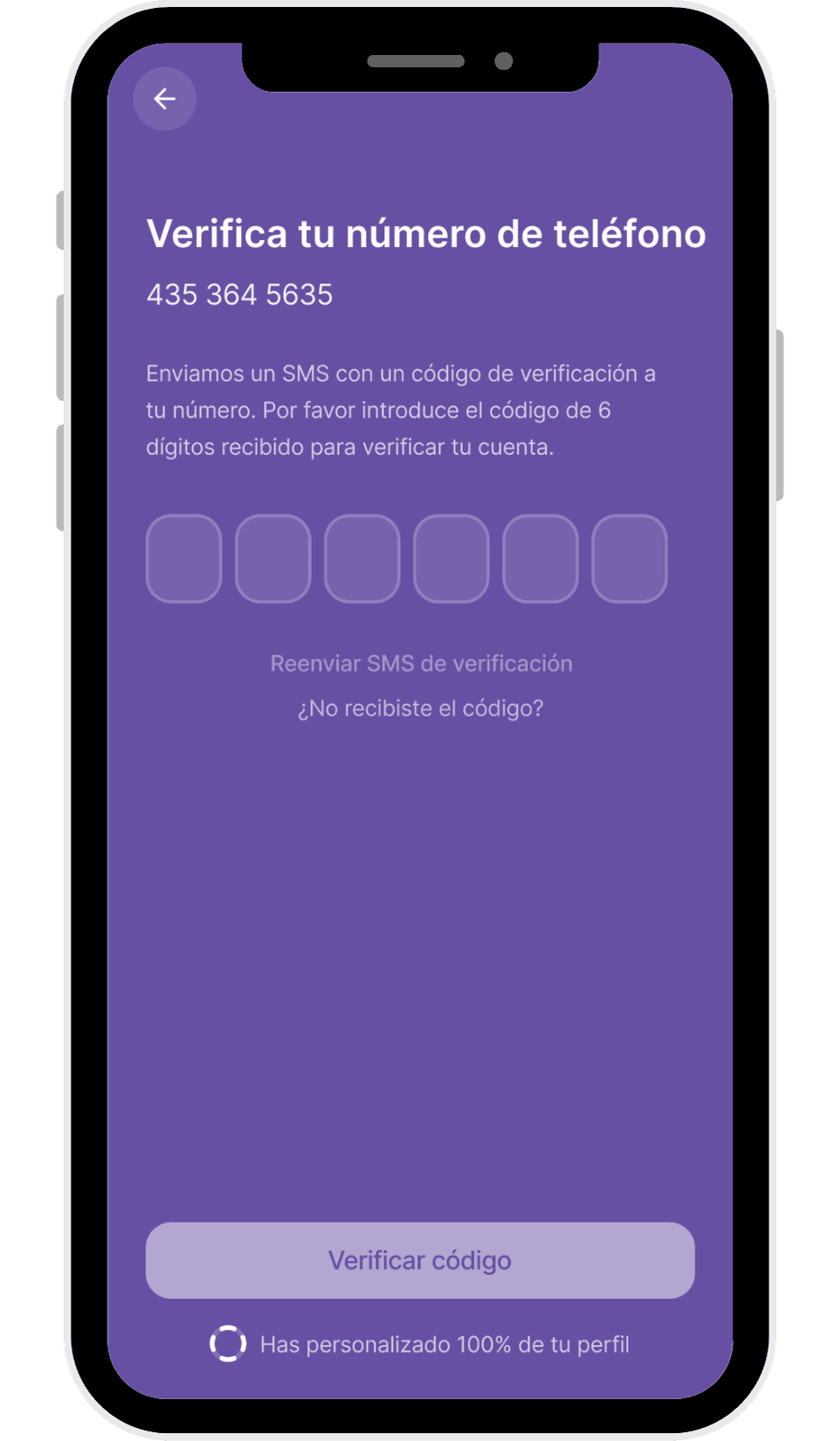
Registration and onboarding are intentionally short and explicit. Users can sign up using Apple, Google, email, or via invitation. Only essential data is requested: name, email, phone number, and phone verification via SMS.
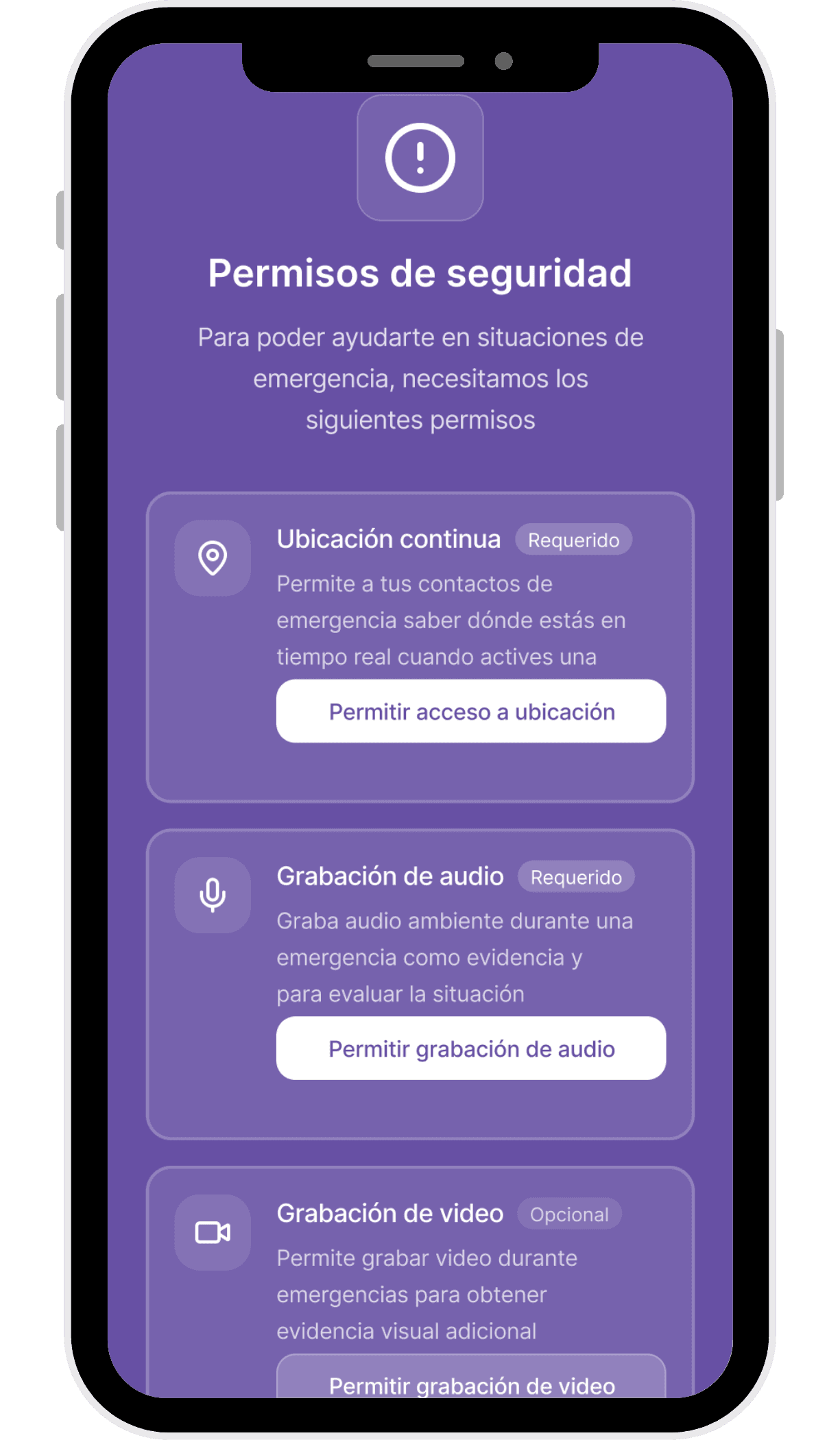
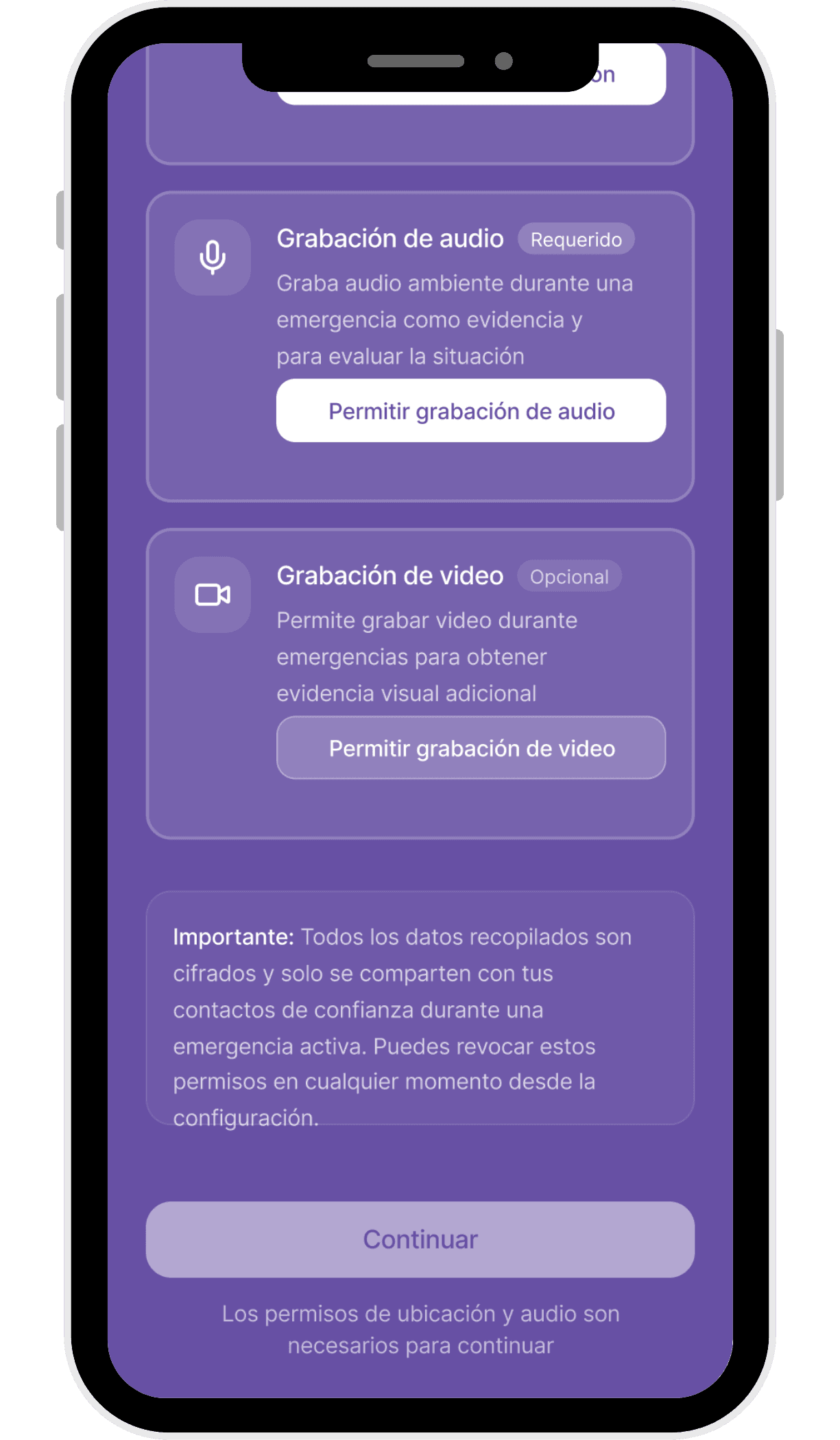
During onboarding, users are asked to grant permissions for:
Continuous location access
Audio recording
Optional video recording
These permissions are clearly framed around their purpose: enabling accurate location tracking and sharing contextual evidence with trusted contacts during an SOS. Once registration is complete, users are guided to configure their trusted contacts, ensuring the system is ready before it is needed.
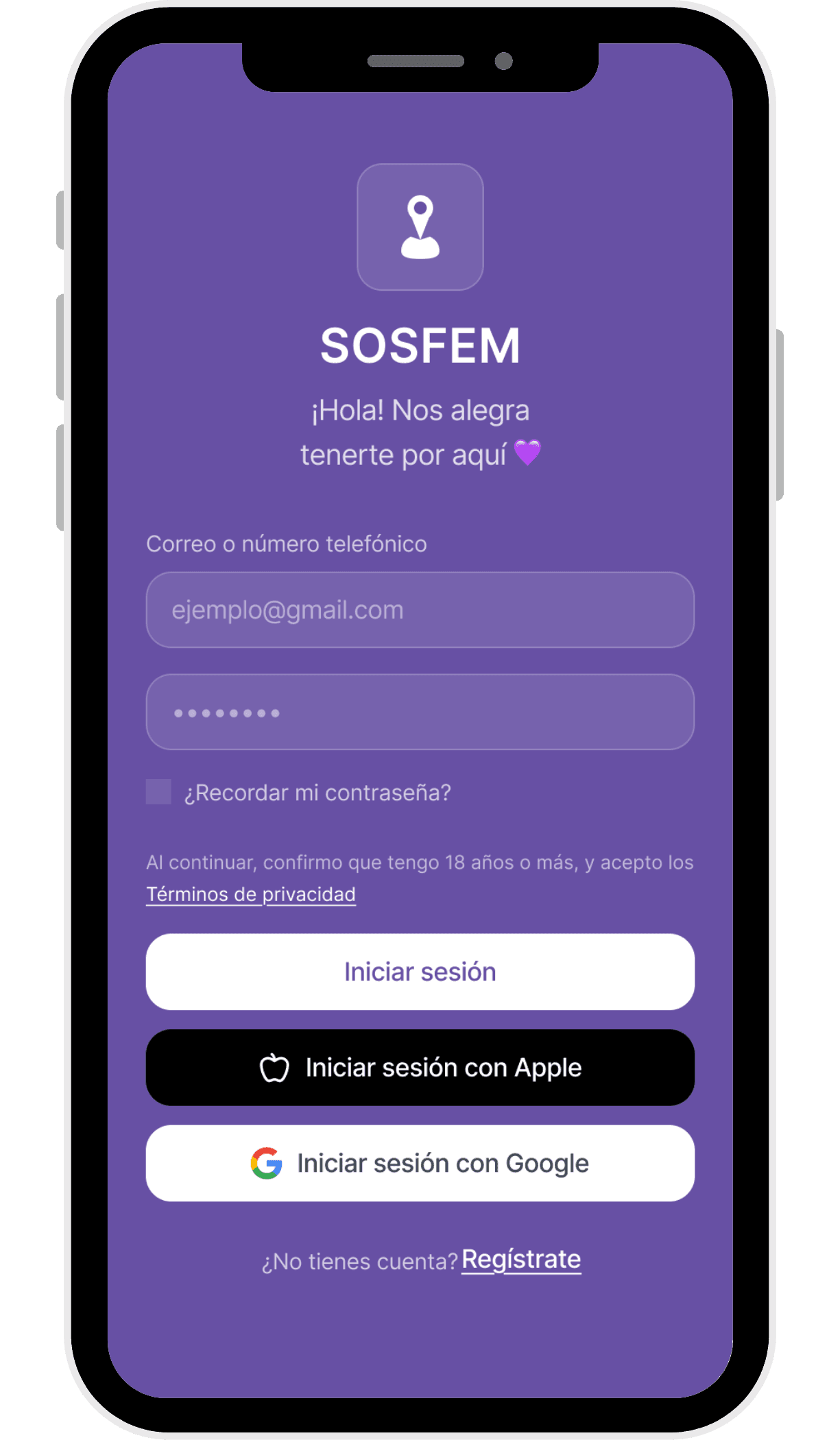
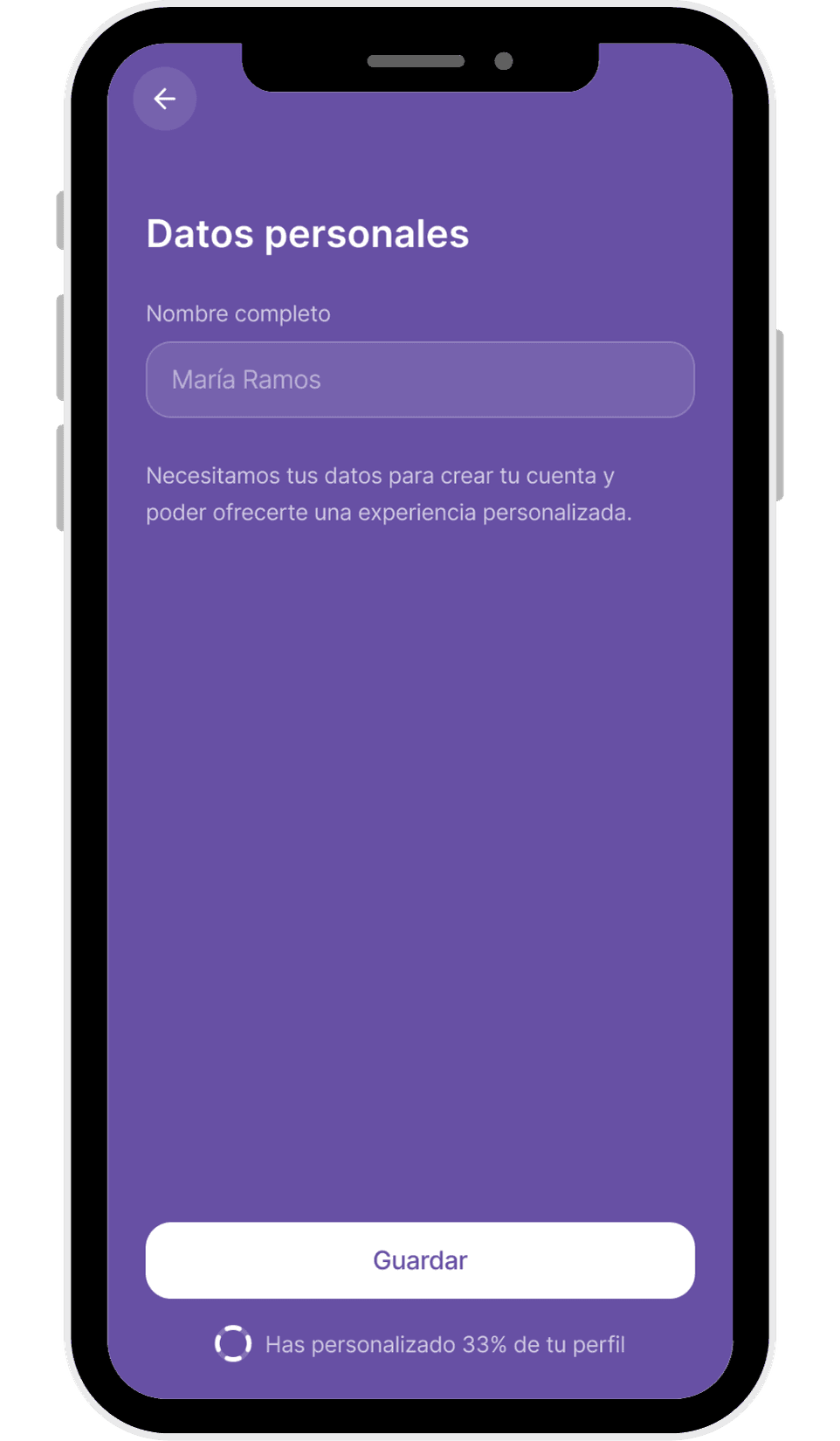
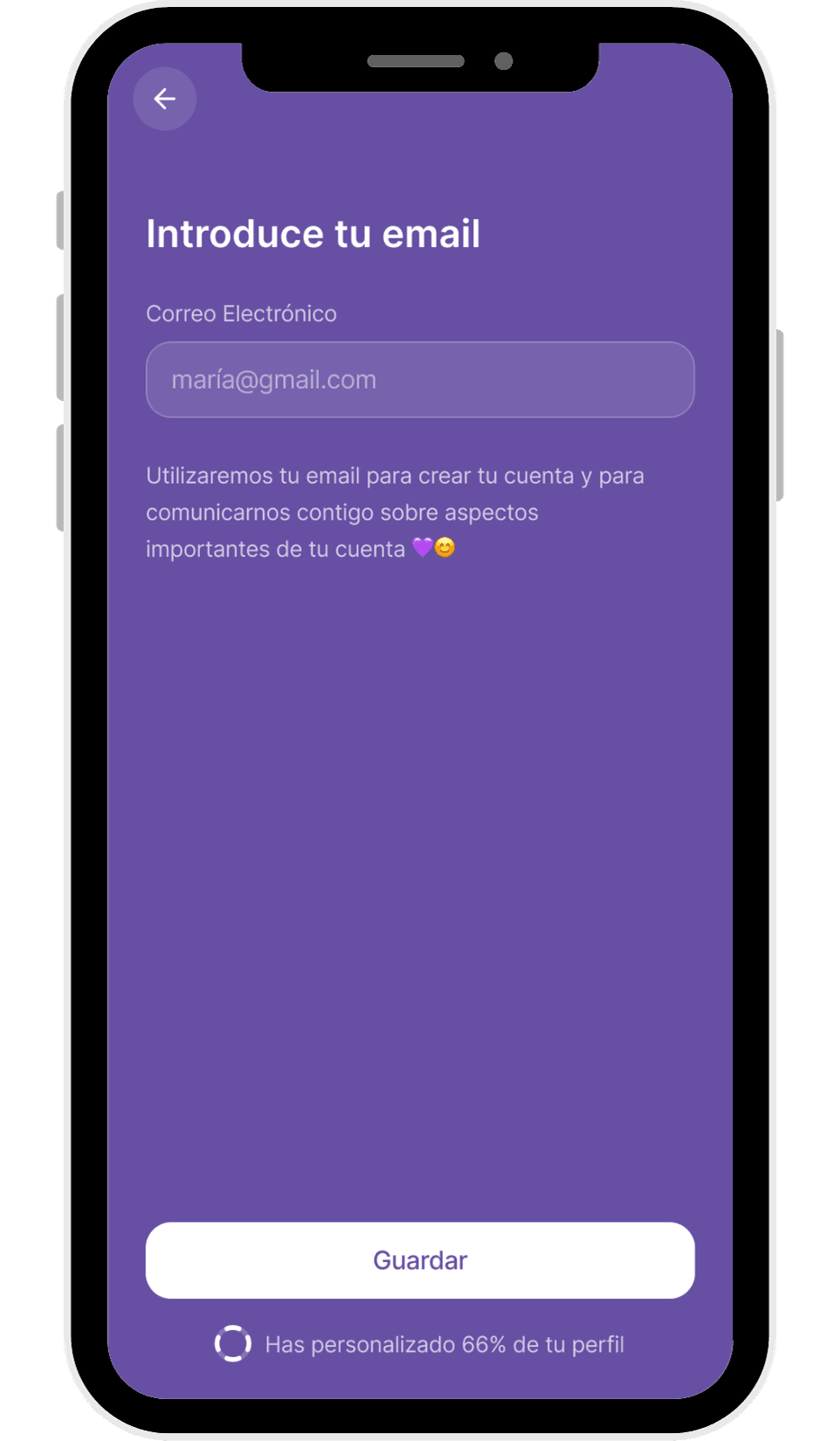
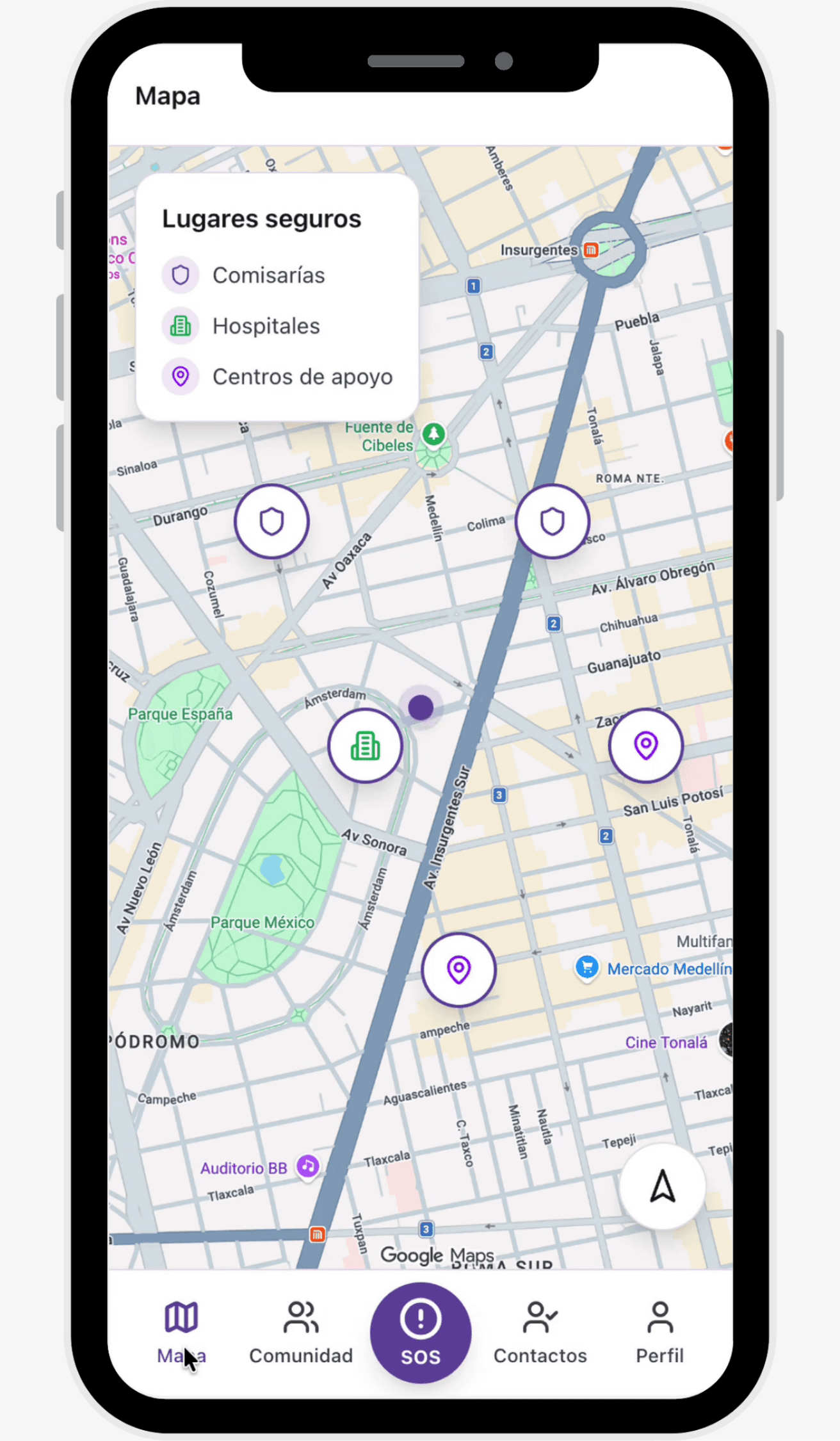
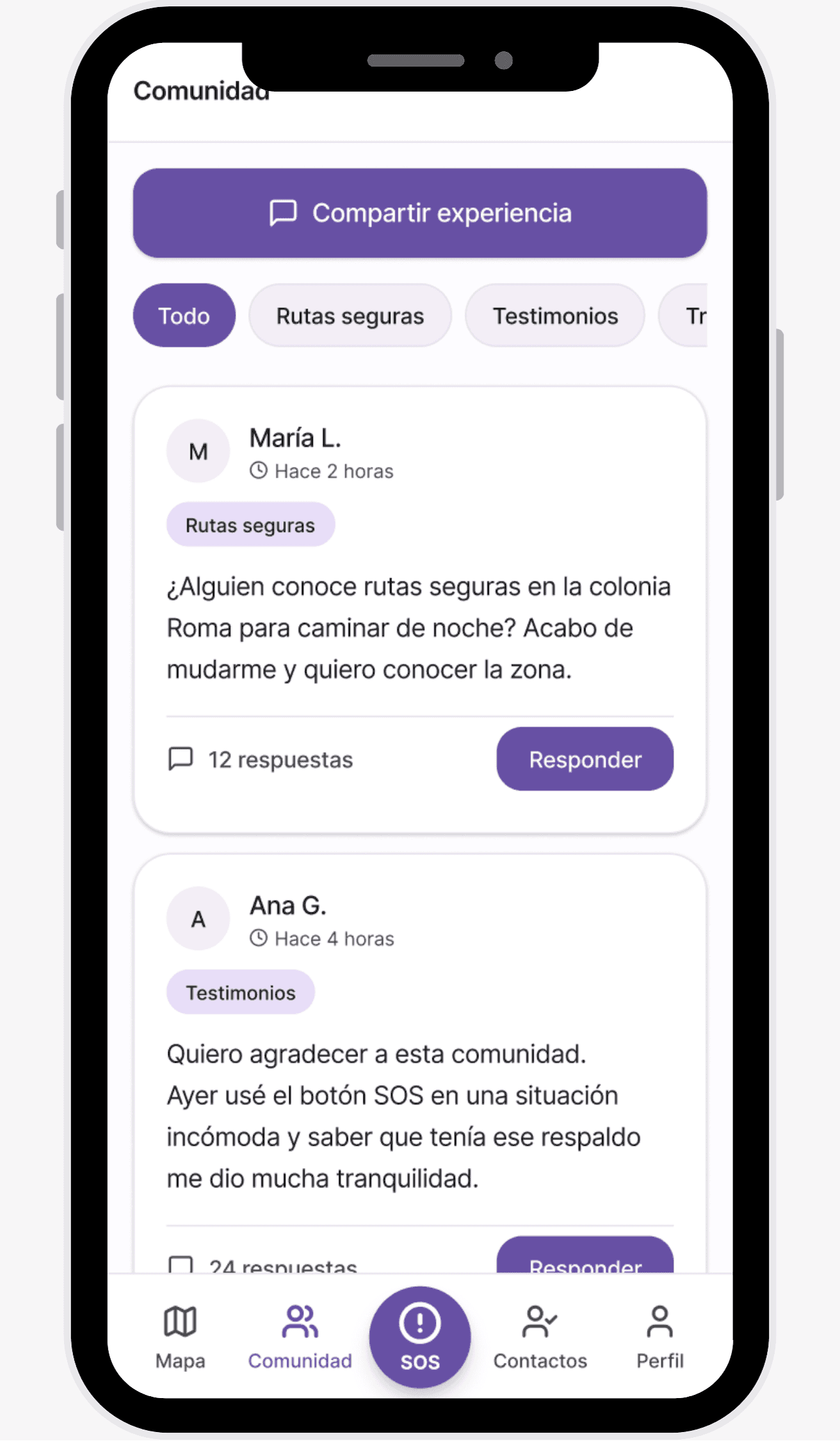
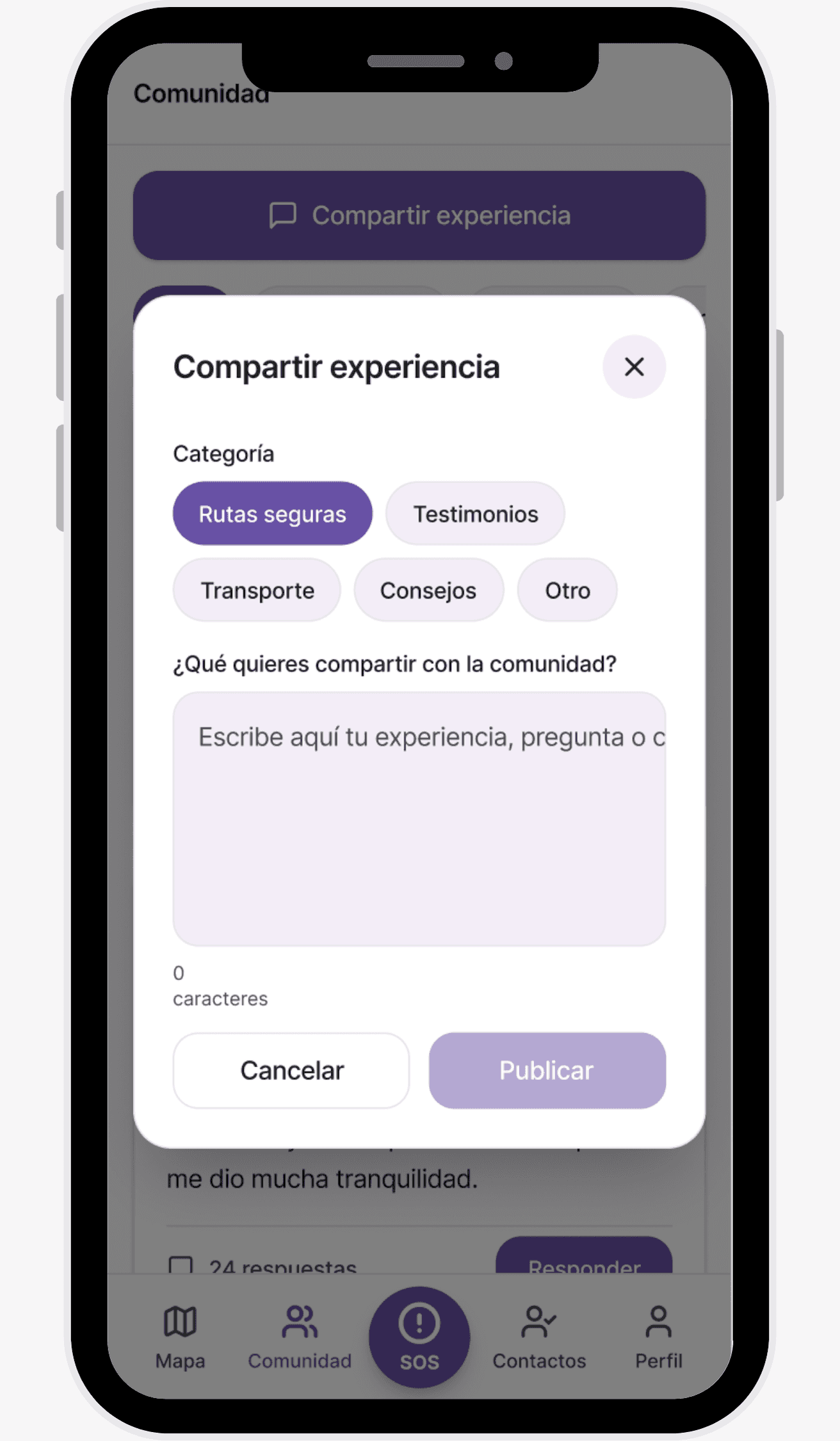
The main navigation is structured into four clear sections, separating emergency actions from secondary interactions and maintaining clarity under stress:
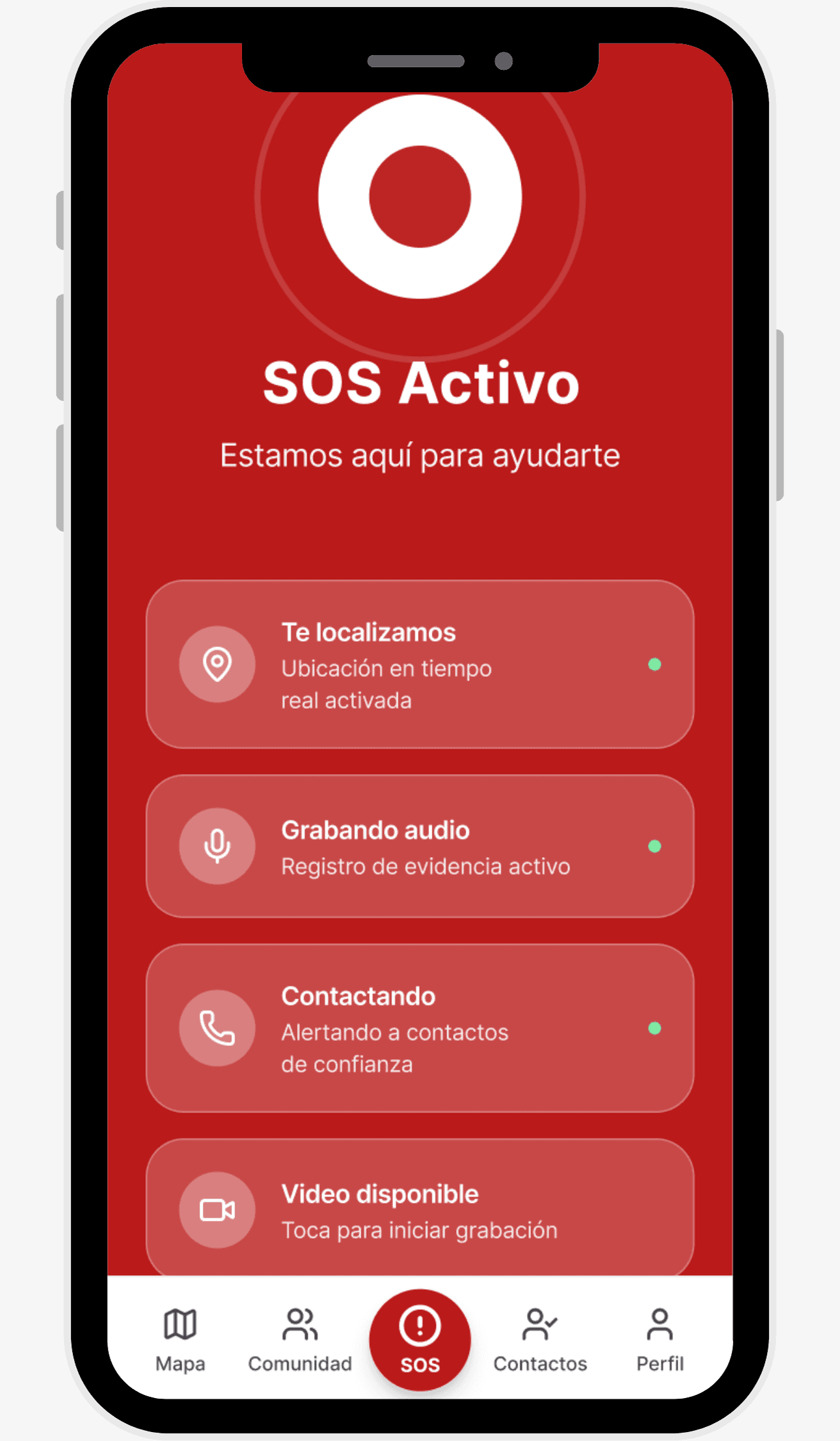
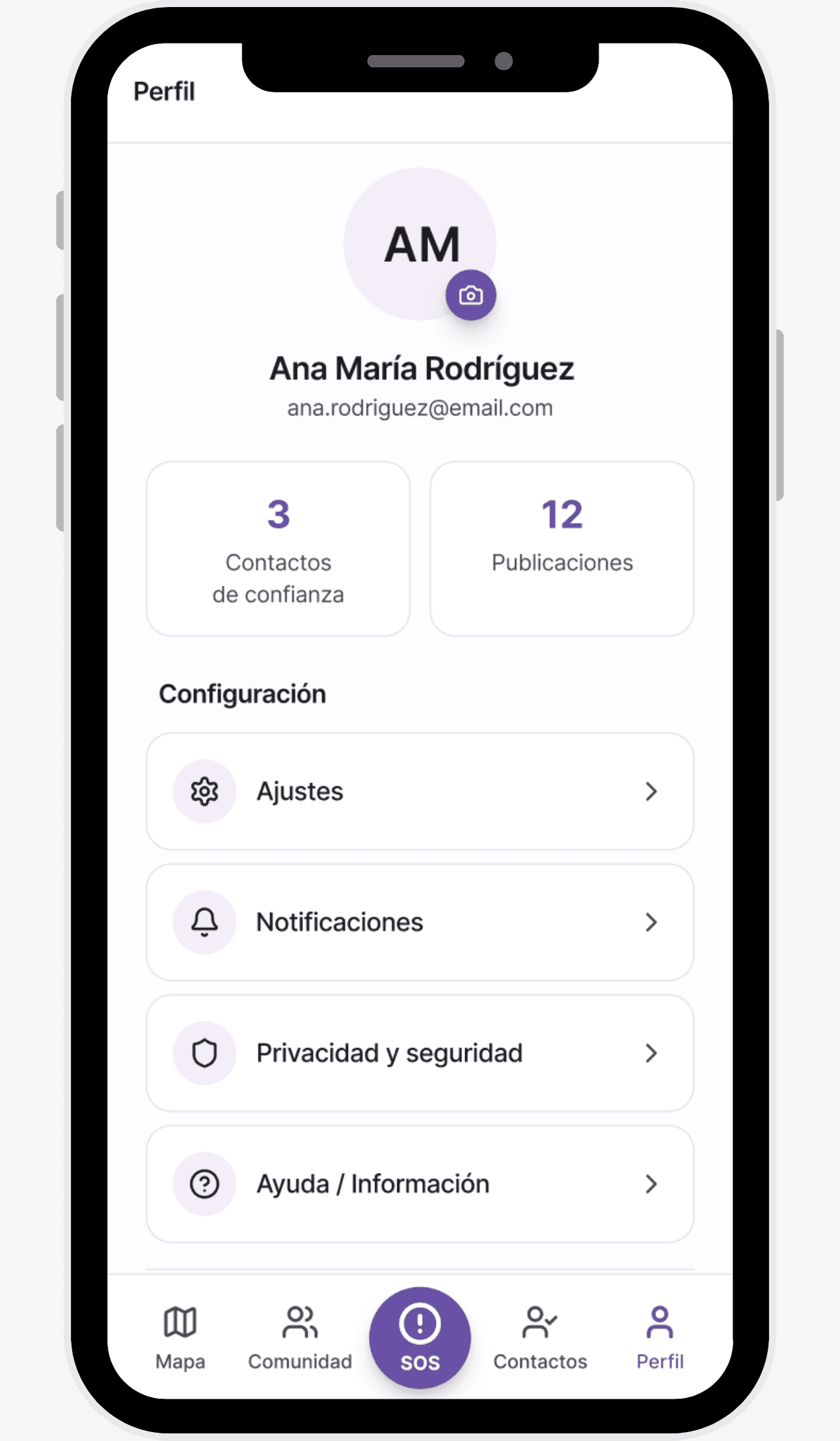
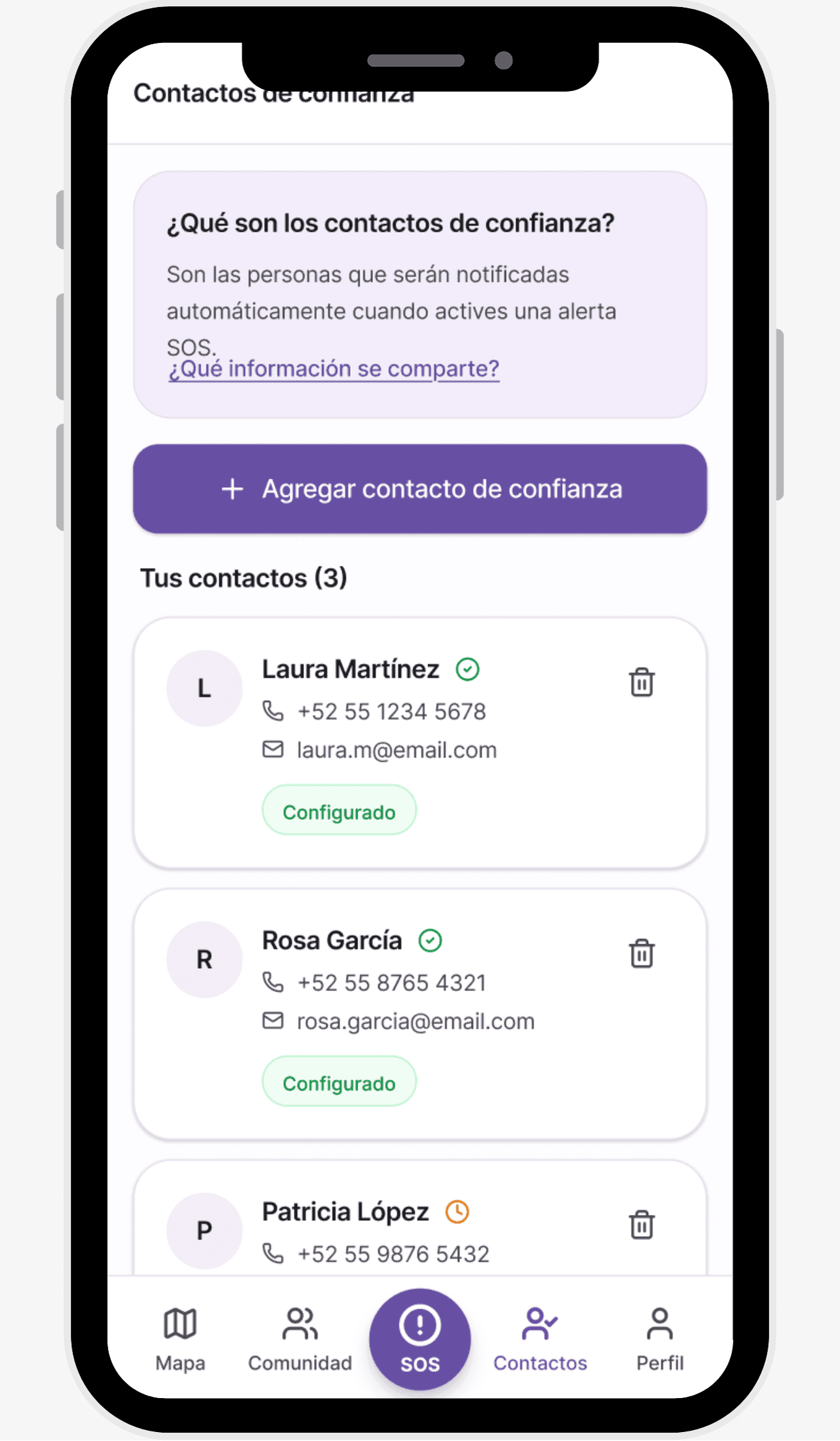
A dashboard was designed with clarity and traceability as core principles, allowing institutions to monitor activations without exposing sensitive personal data unnecessarily.
The focus was on enabling faster response analysis while respecting user privacy and maintaining the integrity of the emergency flow.
Design evaluation followed an iterative approach, combining multiple methods to validate real-world usage and identify early friction points.
In an initial phase, usability testing based on Nielsen’s heuristics was conducted to detect inconsistencies in critical flows, visual hierarchy, and system feedback. These findings informed the first design iterations.
This was followed by a heuristic evaluation with software and UX experts, which surfaced interaction and accessibility improvements, leading to decisions such as:
Refining initial map zoom and focus
Preventing accidental SOS activations on sensitive devices
Exploring wearable compatibility (Apple Watch)
Adding motion-based activation (shaking) as an alternative interaction
Additionally, tests with real users were conducted, and qualitative feedback from the blog and community was continuously analyzed. These inputs became an ongoing source of insights for future iterations.
Evaluation was treated not as a final phase, but as a continuous feedback loop aligned with real product usage.
Due to its feminist perspective and social impact, the project received recognition and support across technological, social, and institutional spaces. These acknowledgments validated the relevance of the solution and enabled access to key resources to further improve both design and infrastructure.
As a startup-style, in-house project, this support provided funding, mentorship, and visibility, helping scale the product and strengthen its design foundation.
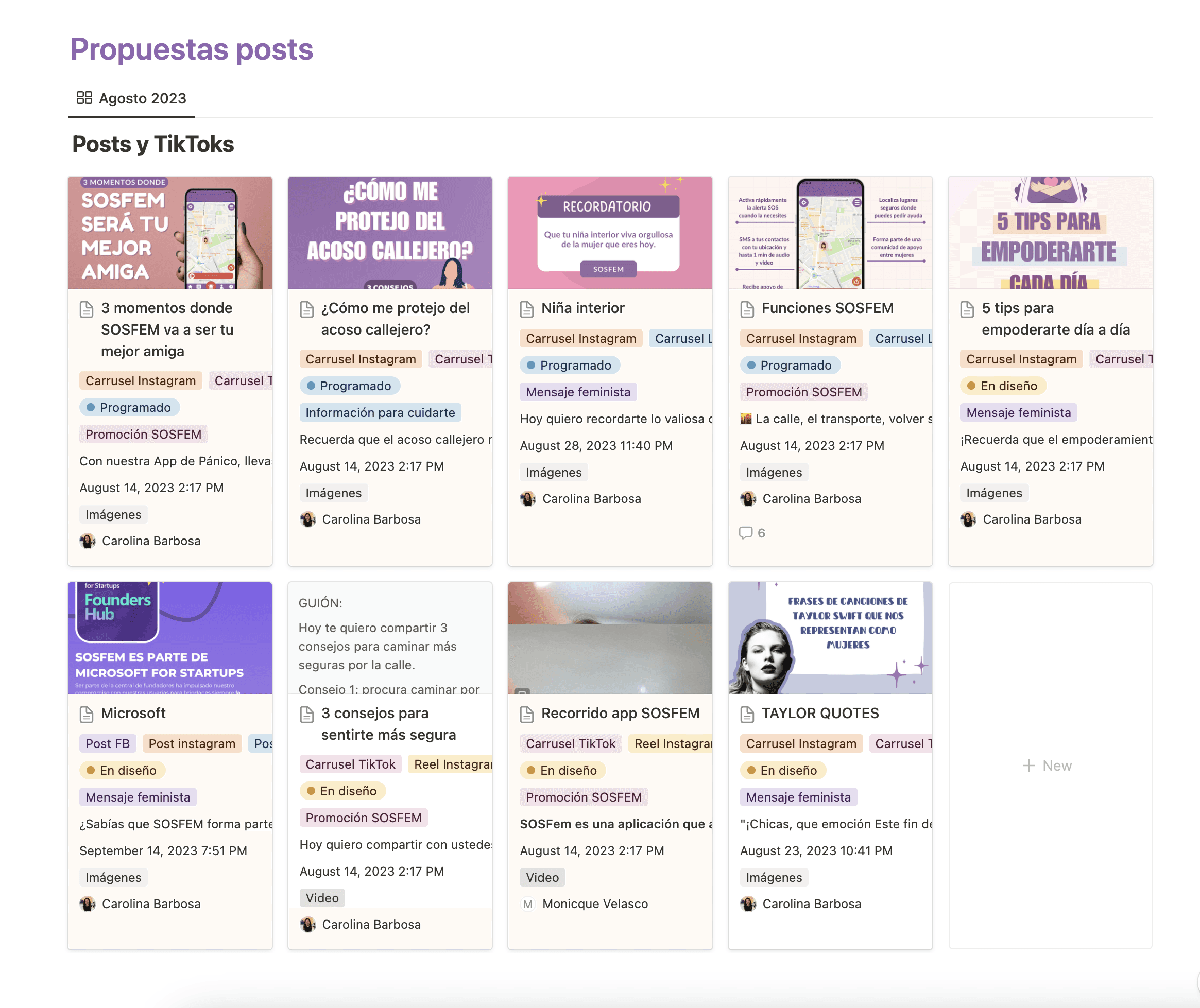
A content strategy for social media was developed as part of the project, focused on education and prevention rather than pure product promotion.
Content for platforms such as Instagram and TikTok was planned and created to share practical tips, support information, and prevention-focused messages aligned with the project’s narrative. This approach helped extend the project’s reach and strengthen community engagement beyond the app itself.
This project taught me that safety design is designing for human limits: stress, fear, time, and context. Activation data and “harassment as the main trigger” showed that impact comes from flawless execution of the primary flow, not from adding more screens.
Next steps: redesign with a more modern design system, accessibility improvements, and evolving the dashboard for institutional insights without compromising privacy.