
2025
Project Type
Principal AI Product Designer
End-to-end
Overview
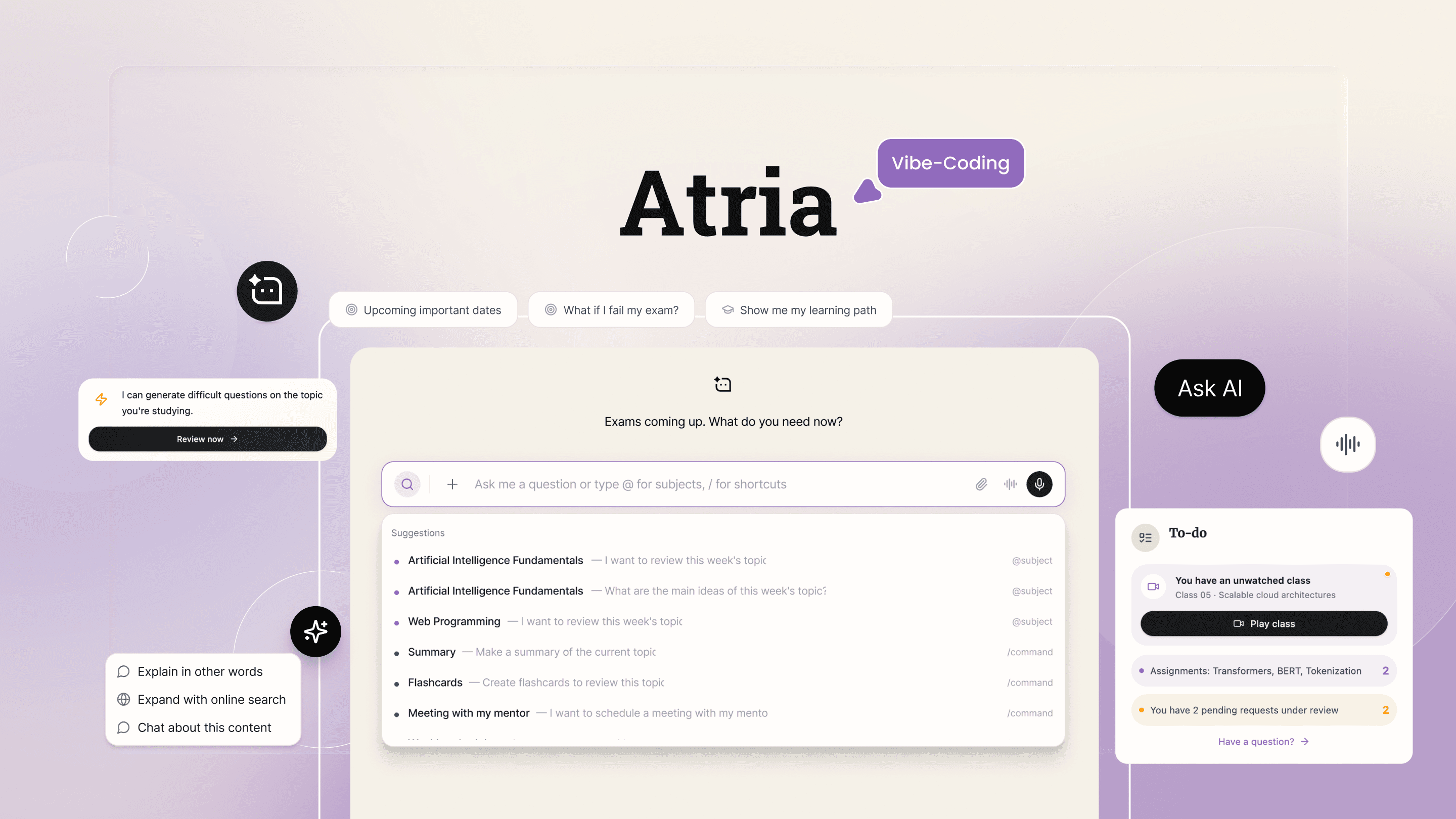
This project redesigns the student experience by embedding AI as a transversal orchestration layer rather than isolated tools.
At International Online University, students interact with multiple digital products throughout their academic life: administrative platforms, study tools, support services, and practice environments. Although functional, the experience was fragmented, reactive, and cognitively demanding.
The objective was to design a unified AI-first system that guides, anticipates, and supports students across key academic moments — without replacing human mentorship or professors.
The existing student experience was fragmented across multiple platforms, each offering AI capabilities in isolation. Students repeatedly asked themselves:
“Which AI should I ask, and for what?”
Focus groups conducted for the previous administrative chatbot revealed confusion, duplicated guidance, and low confidence in AI responses. Interviews with students using the study assistant showed parallel usage of external AI tools without institutional guidance.
Research combined multiple inputs:
Focus groups conducted for the existing Campus Assistant
Interviews with active students using the Learning Assistant
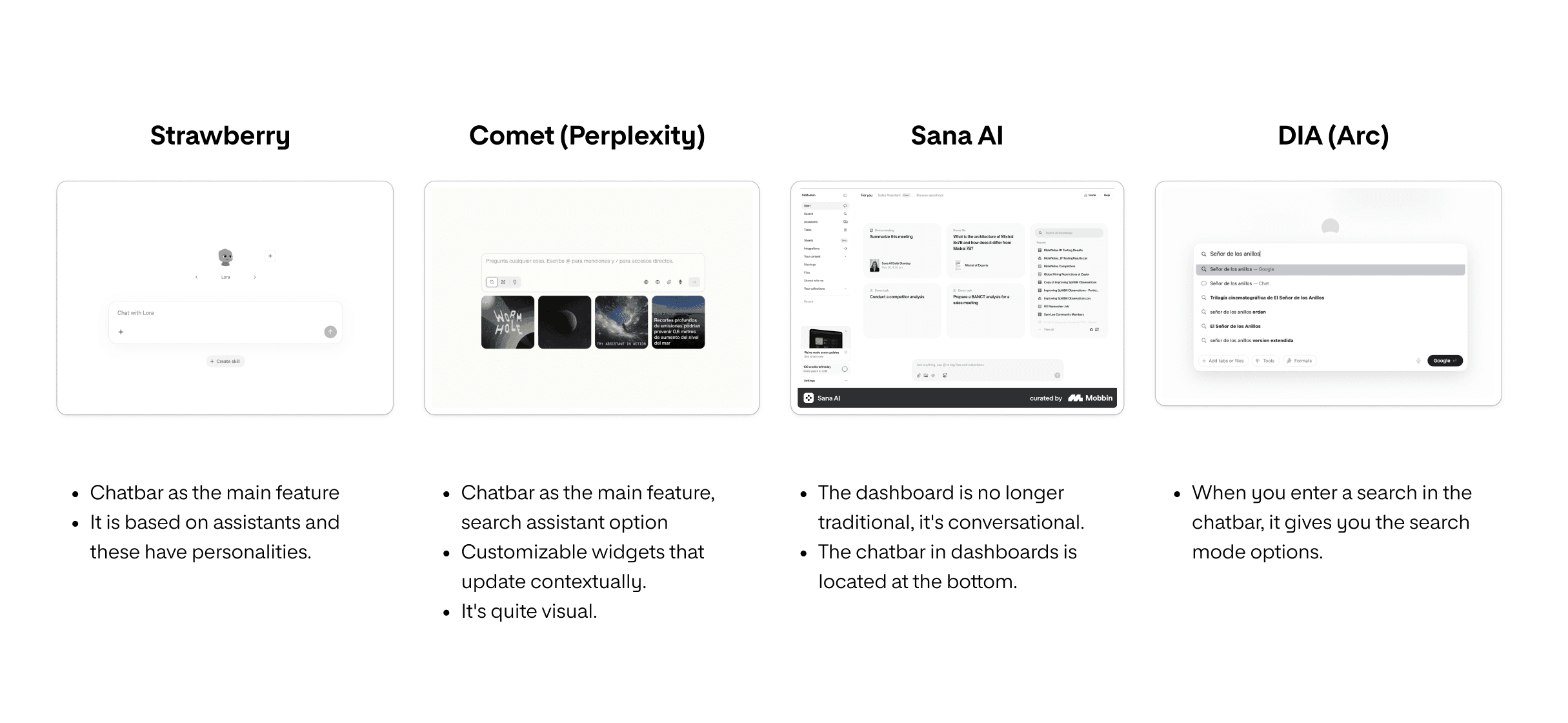
Benchmarking of AI-first products with conversational cores
Internal knowledge of recurring support requests and student pain points
The focus was identifying behavioral patterns explaining low AI adoption despite high availability.
Benchmarking leveraged Perplexity Research to analyze emerging AI interaction patterns.
Several insights consistently emerged:
Students don’t need more tools; they need direction.
AI feels valuable when it activates actions, not when it only answers questions.
Conversational interfaces require strong structure and context to be effective.
Academic journeys are defined by moments, not by features.
These insights shifted the design focus from feature expansion to experience orchestration.

An AI-first model restructures how context, decision-making, and system intelligence operate within the product. AI is embedded as infrastructure, not layered as an interface.
The shift moves the platform from:
Static dashboards → ✨Context-aware guidance✨
Reactive Q&A → ✨Proactive suggestion✨
Fragmented tools → ✨Unified orchestration✨
Feature navigation → ✨Decision support✨
The system follows these AI-first principles:
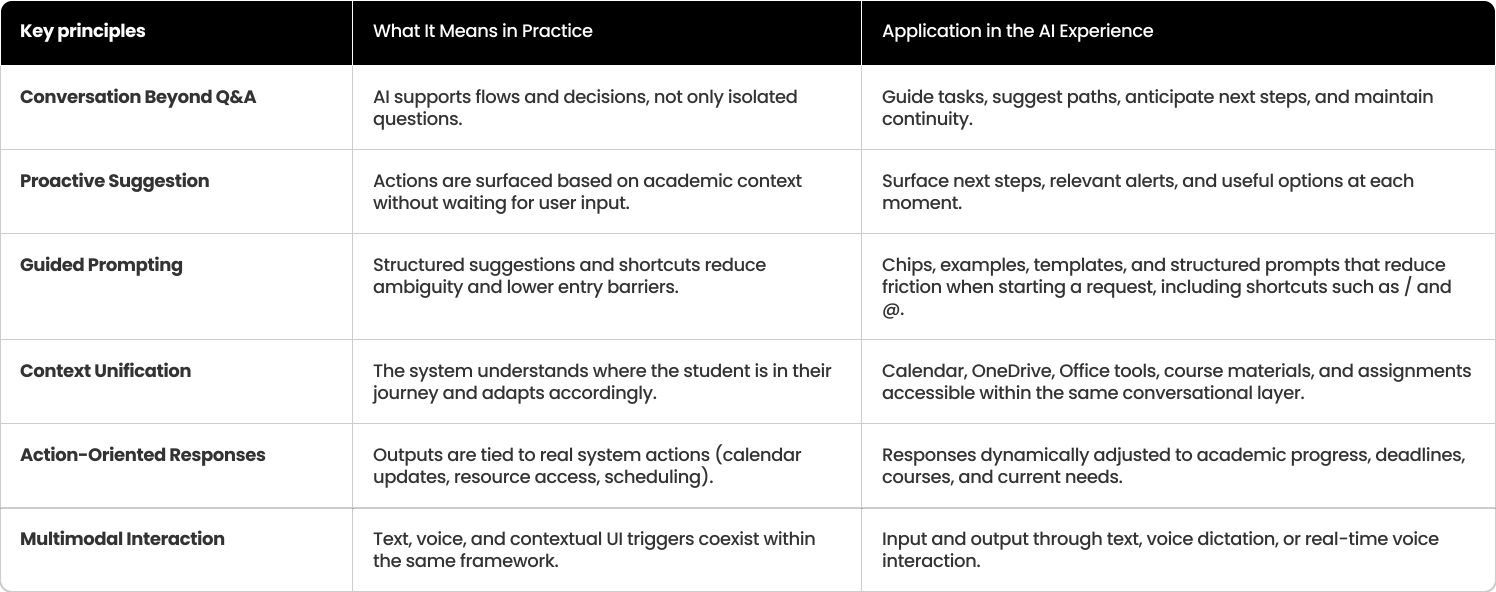
Ensure that every student interaction is context-aware, guided, and connected — without increasing cognitive load.
The experience was intentionally structured around established AI interaction patterns to guarantee consistency, predictability, and trust across the platform.
Unifying assistants required more than merging interfaces — it required defining how the system understands intent.
A structured taxonomy was developed to classify recurring student queries across the entire academic lifecycle. Rather than organizing by features, queries were clustered by intent type and expected outcome.
Two primary domains emerged:
Management Intent
Administrative processes, enrollment, payments, documentation, scheduling, grades, certifications.
Educational Intent
Concept explanation, reinforcement, summaries, simulations, practice, thesis development, performance improvement.
Each domain was further broken down into:
Sub-intent clusters (e.g., exams, enrollment, evaluation, thesis)
Keyword patterns and semantic triggers
Expected system actions
Contextual academic moments
This taxonomy became the orchestration backbone.
Instead of asking students to decide which assistant to use, ATRIA classifies intent in the background and routes the interaction accordingly.
The responsibility shifts from the user to the system.
Ambiguous queries and uncertainty scenarios were explicitly mapped. For each case, predefined behaviors were designed:
Clarification prompts when intent confidence is low
Escalation pathways to human mentors when academic authority is required
Guardrails preventing AI overreach in evaluative or institutional decisions
This ensures orchestration is not only intelligent, but controlled.
Rather than organizing the experience around features, Atria was structured around student moments.
Academic journeys are defined by phases and emotional states:
Onboarding Early adaptation → Daily study → Exam preparation → Administrative management → Thesis development → Closing cycles
Each academic moment requires a distinct AI posture — activating, guiding, structuring, prioritizing, or stabilizing — based on context and urgency.
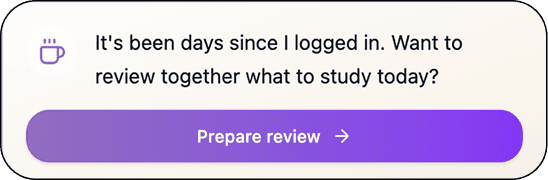
For example:
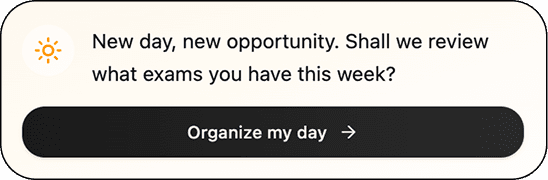
Example: Contextual messages available at Student's Dashboard:
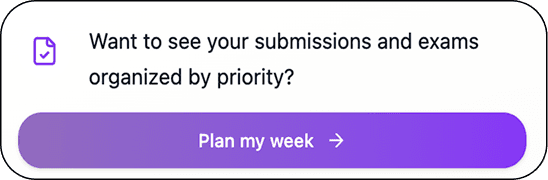
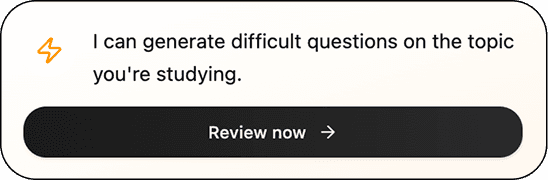
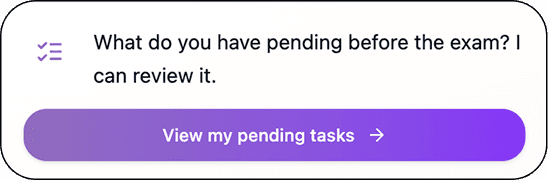
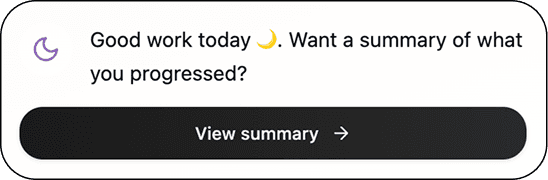
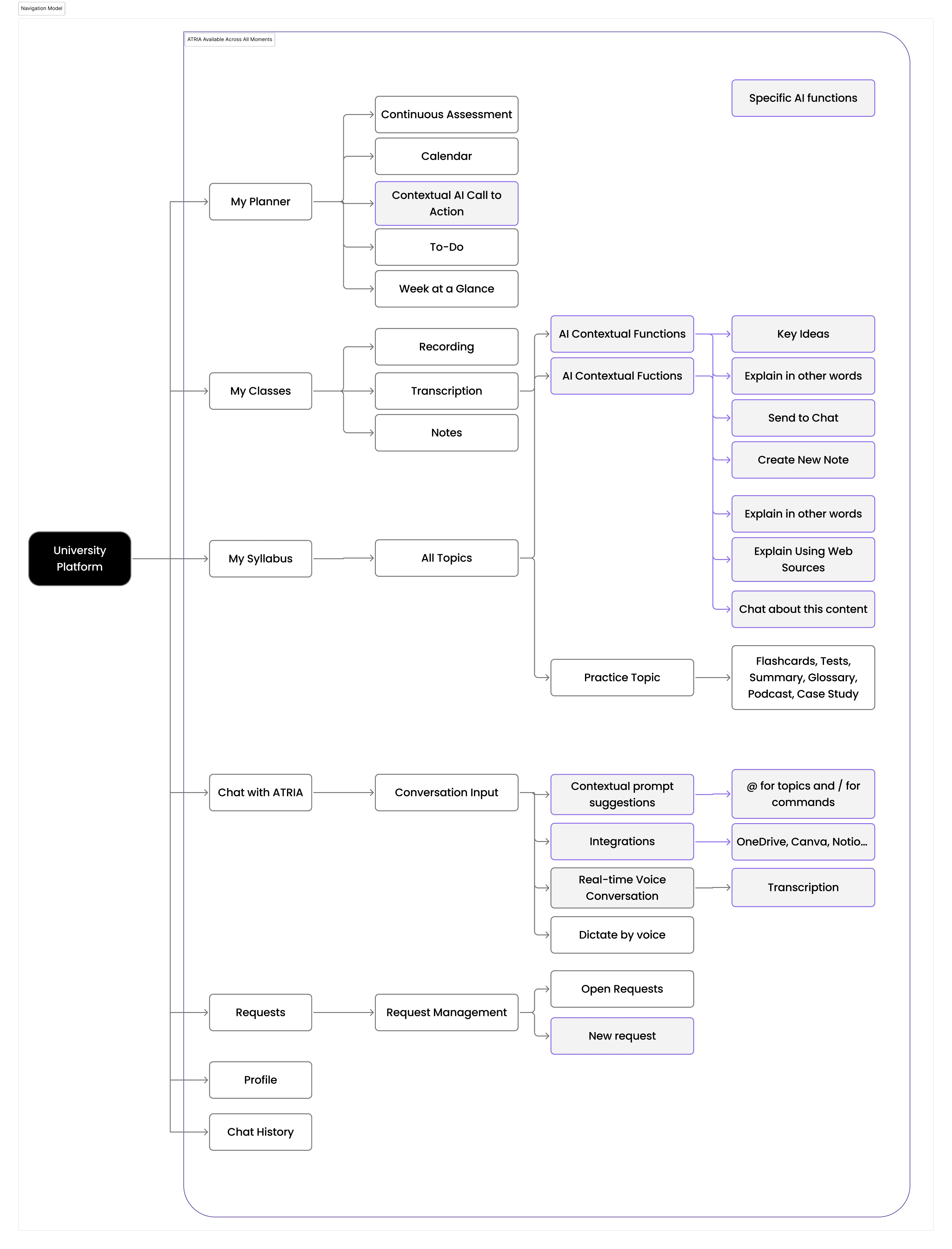
The platform architecture was designed to preserve the existing academic structure while embedding AI as a transversal orchestration layer. Core experience modules remain intact, while ATRIA augments them through contextual functions, prompt suggestions, and action-driven intelligence.
ATRIA Available Across All Moments and on Specific AI Functions
Atria follows Human-Centered AI principles. The AI’s primary value lies in structured guidance and contextual support:
The conversational interface was designed as a persistent secondary interaction layer, embedded across all sections of the platform rather than acting as a standalone destination.
Within contextual conversations, students can:
Check deadlines and academic status
Organize their study schedule
Access learning resources
Resolve administrative tasks
Decide when to escalate to human support
The chat is available in multiple contexts: "Chat with AI" page, sidebar, and full-screen mode, adapting to the student’s moment.
Full-Screen Conversational Interface
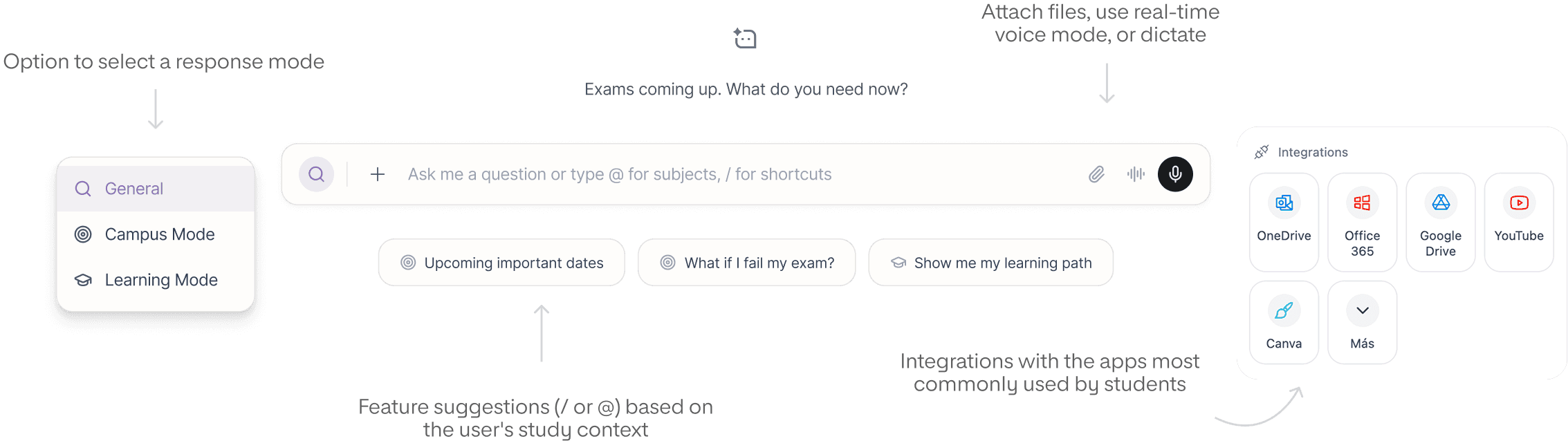
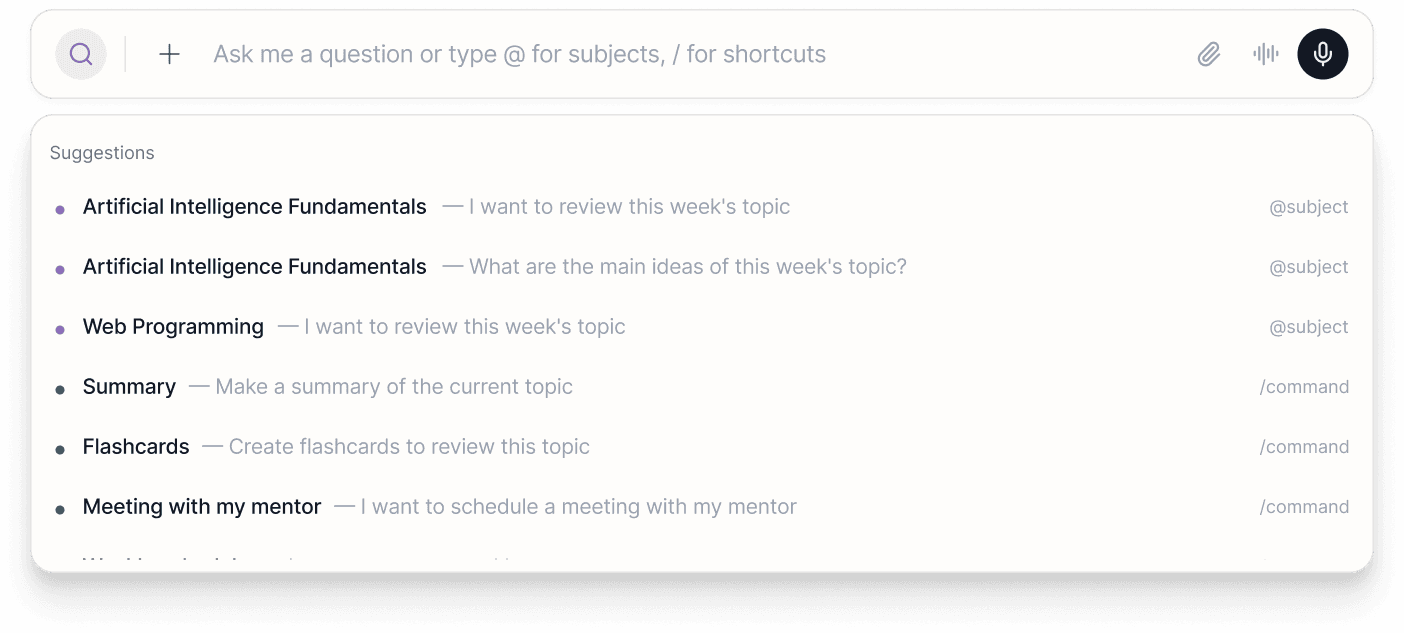
Structured prompting and contextual suggestions replace fully open-ended input models. Shortcuts, suggested prompts, and contextual actions help students express intent without needing to “know what to ask":
Context-aware suggestions
Guided prompts using shortcuts (/ for commands and @ for themes)
Actionable responses connected to real data
Integration with commonly used tools (calendar, files, study resources)
Contextual Prompt System
The system was prototyped using Figma Make to validate interaction patterns and orchestration logic. Documentation and prompting workflows were supported by Notion and Claude, focusing on interaction patterns rather than final UI.
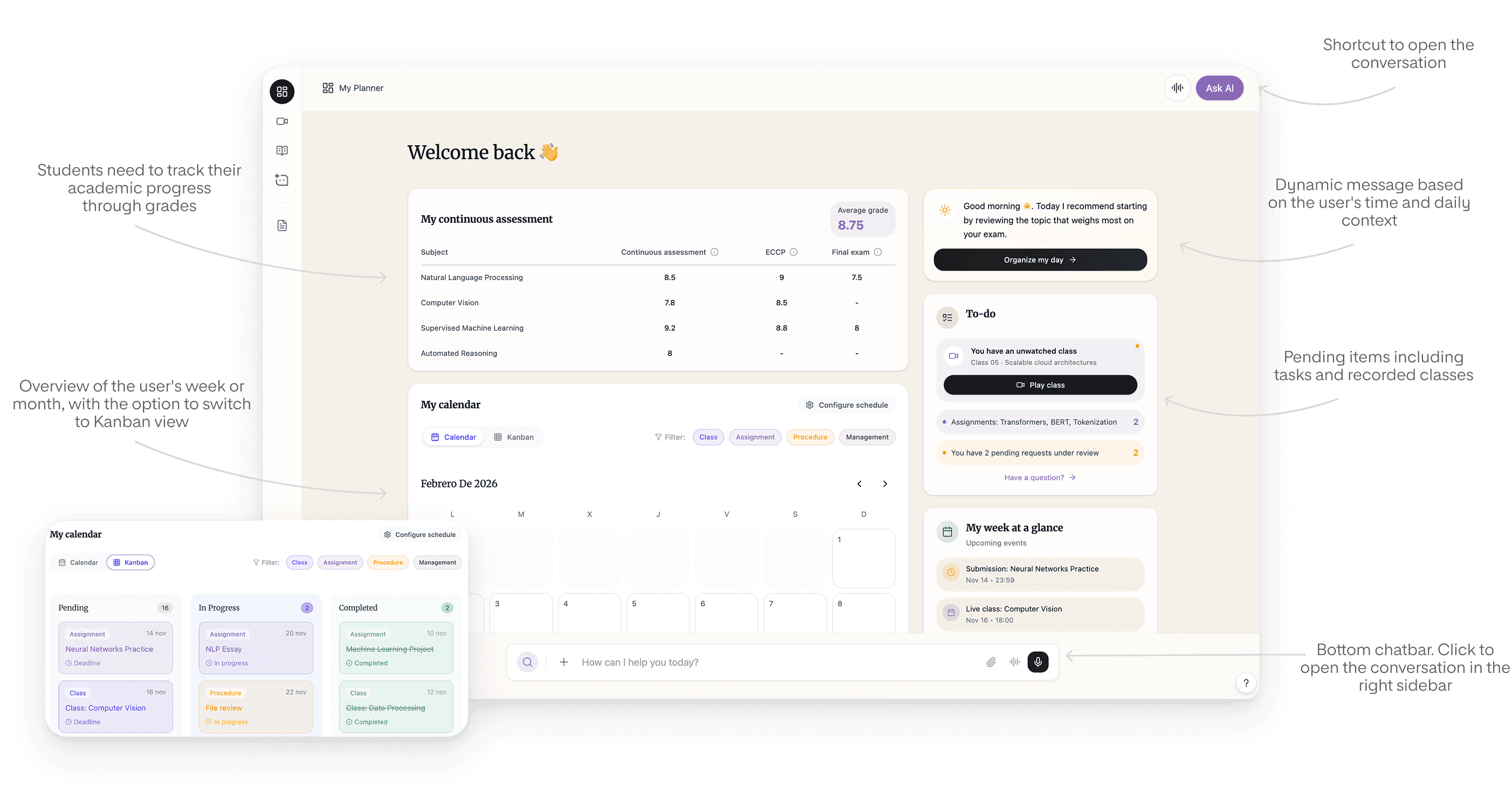
A dedicated planning view allows students to see their academic workload across weeks or months. The AI proactively suggests study windows, highlights priorities, and adjusts recommendations based on progress and habits.
Academic Planning & Proactive AI Guidance
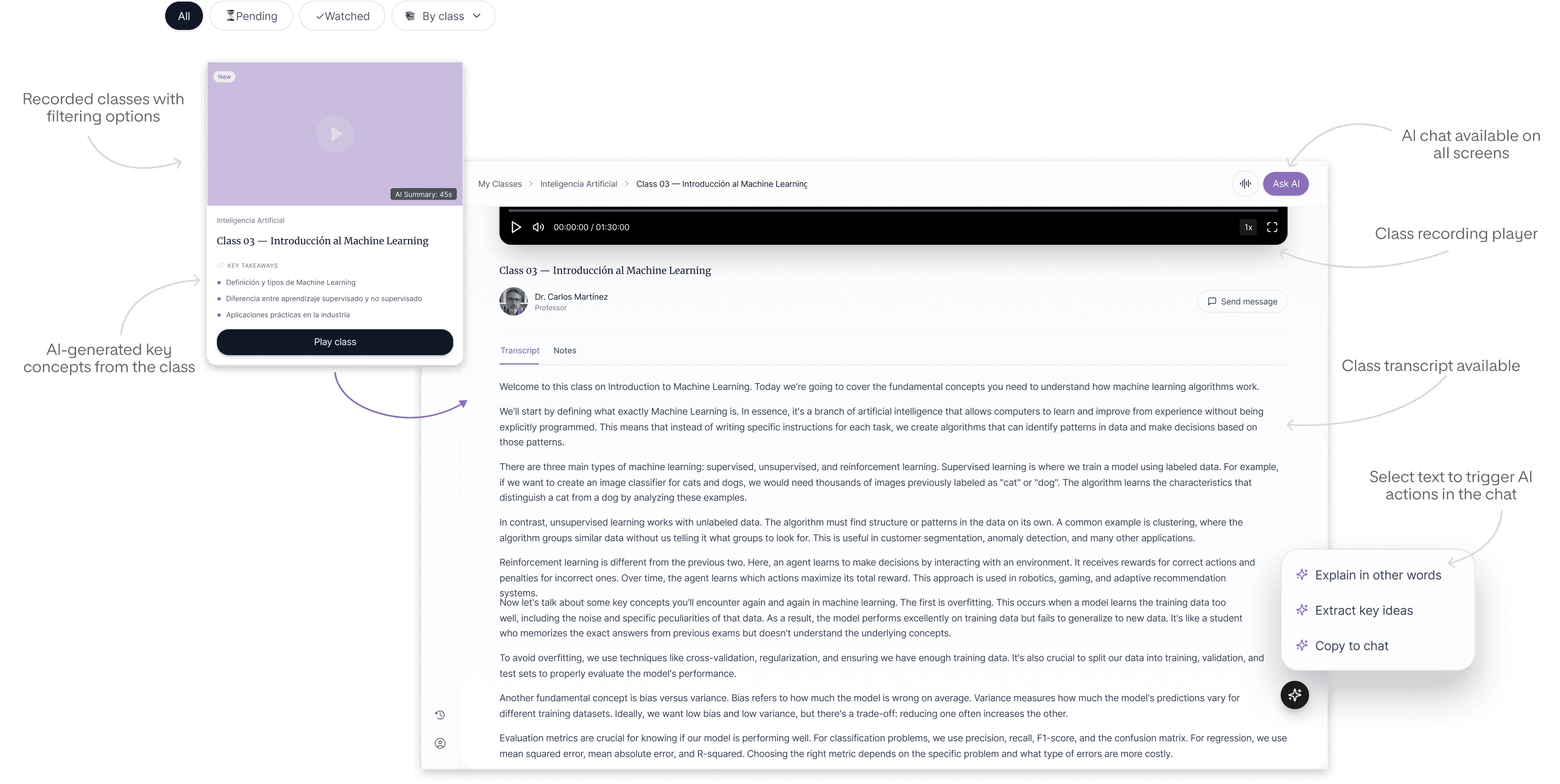
Contextual AI Support Within Class Recordings
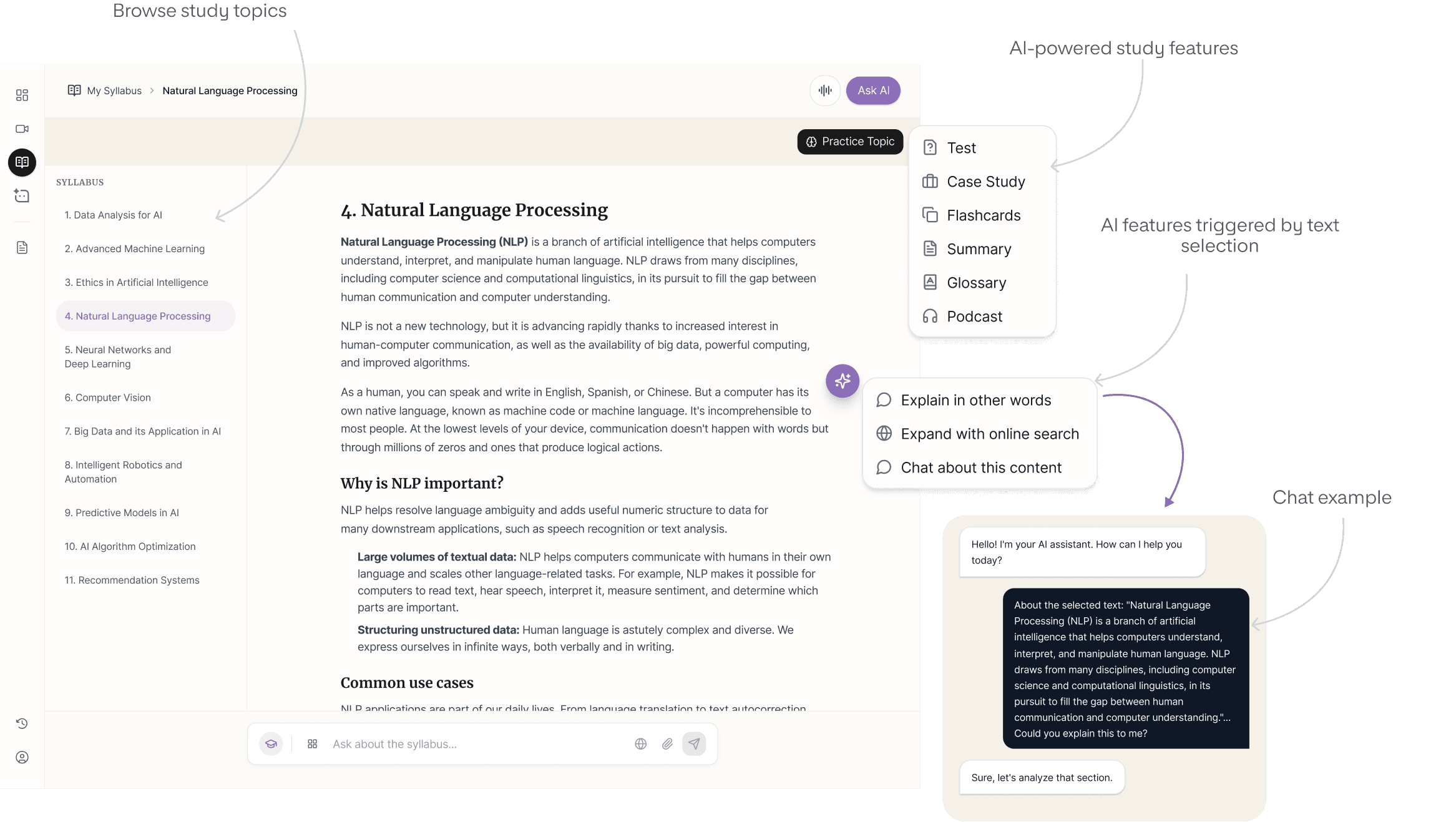
AI-Augmented Syllabus Navigation
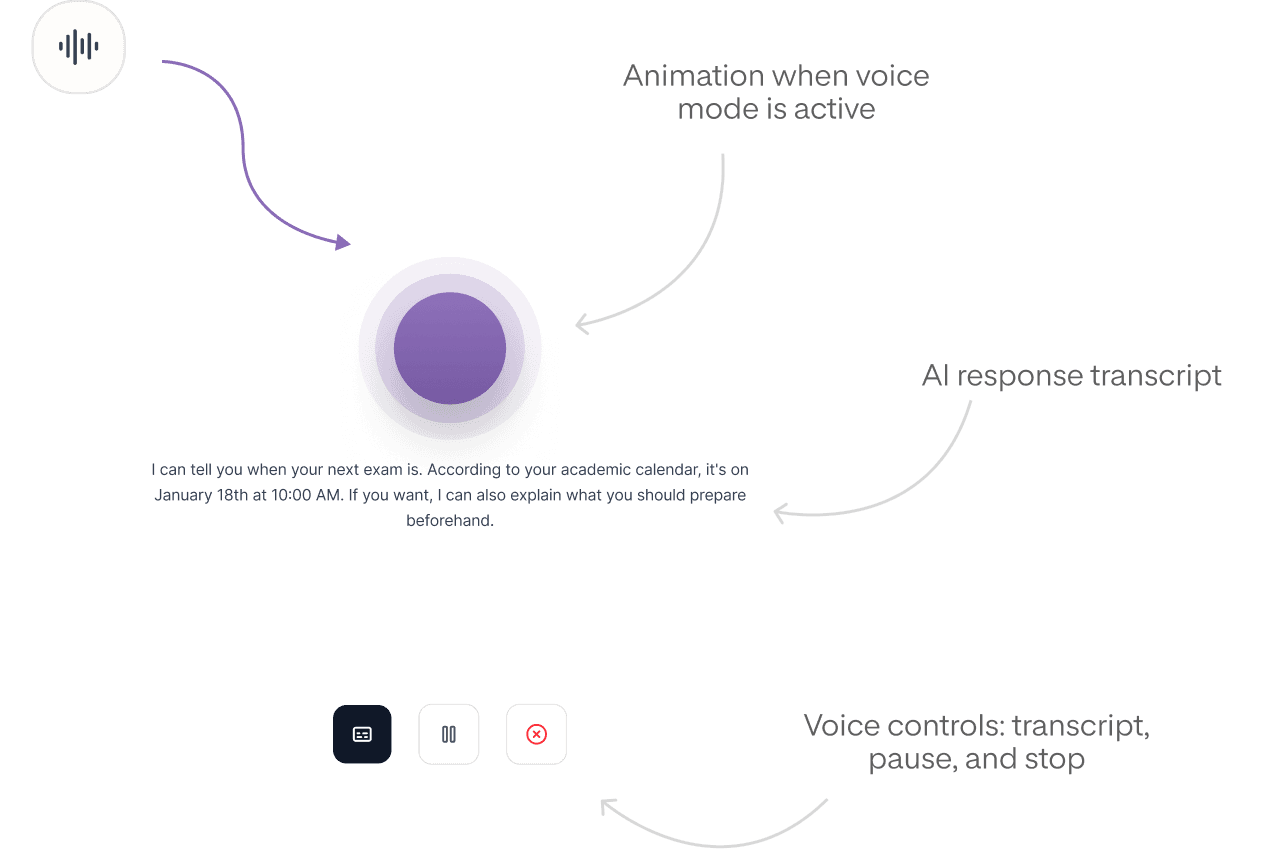
Real-Time Voice Interaction Layer
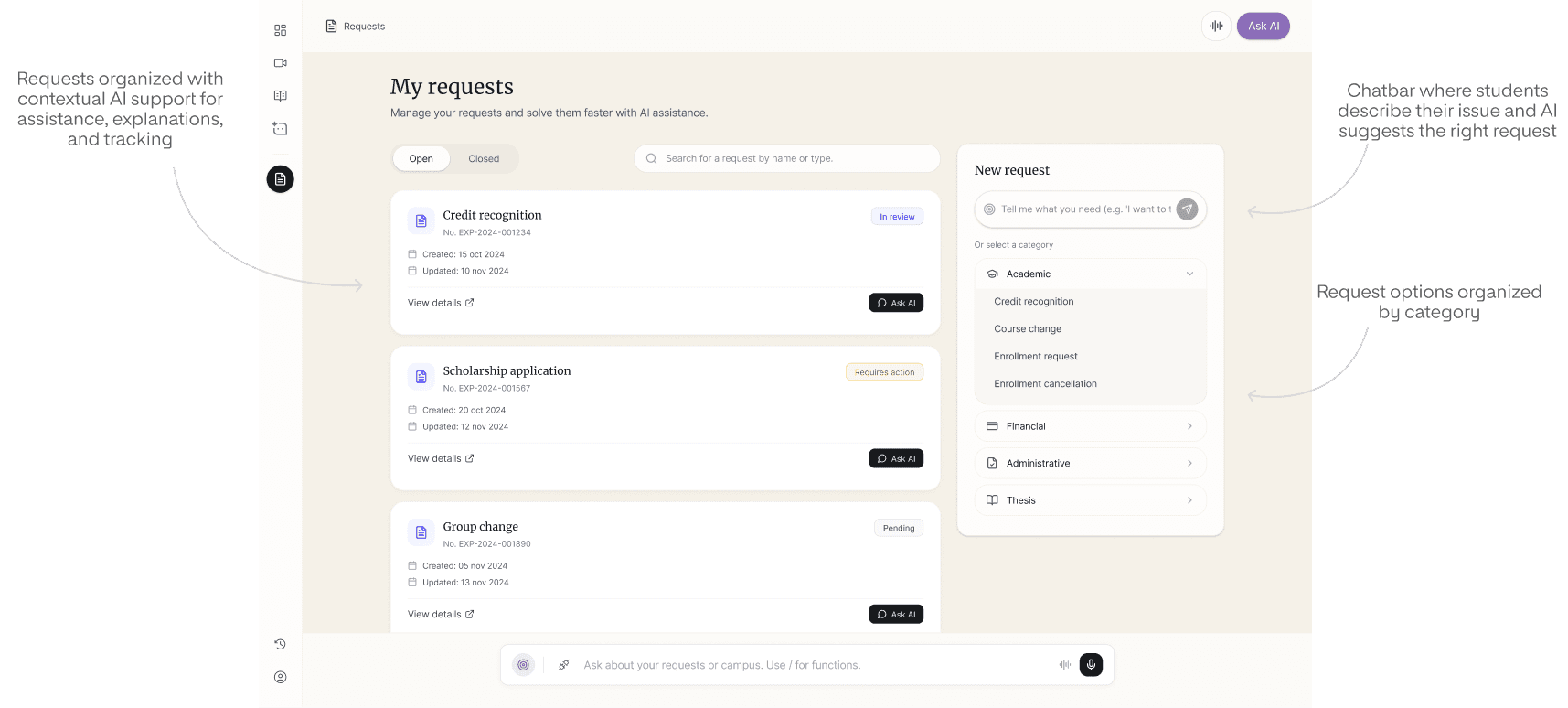
AI-Assisted Request Management
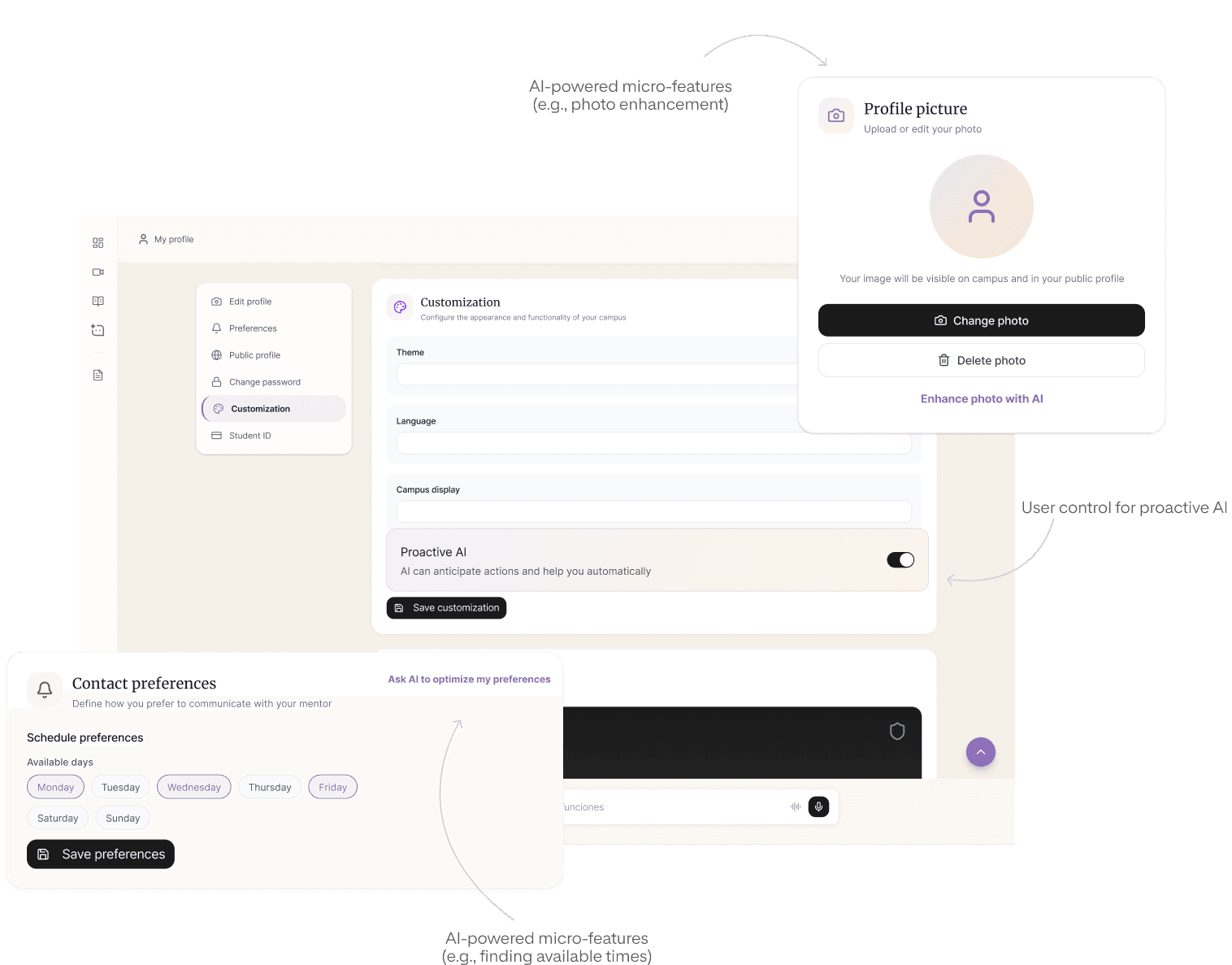
Personalization & Academic Profile Layer
Evaluation focused on validating AI posture, clarity of guidance, and behavioral consistency across academic flows.
As the product remains in development, evaluation has been conducted through early focus groups and stakeholder reviews. These sessions validated orchestration clarity and revealed important constraints.
This project reinforced several key learnings:
Next iterations will focus on:
Deeper personalization through behavioral modeling
Expanded proactive academic planning
Stronger mentor-AI collaboration models
Development of a formal design system and production-ready UI
Technical documentation for scalable AI handoff
As the system evolves, updates in AI capability and engineering feasibility will continue to refine orchestration logic.
GOOD AI DESIGN FEELS INVISIBLE — UNTIL YOU REALIZE HOW MUCH EASIER THINGS BECAME.
All names and references in this case study are fictional and used solely for anonymization purposes.